Selecting CSS
CSS Selector adds class names to a Gravity Forms field’s Custom CSS Class setting. Use it for custom classes, Gravity PDF shortcuts and the Gravity Wiz Copy Cat shortcut.
Add a class
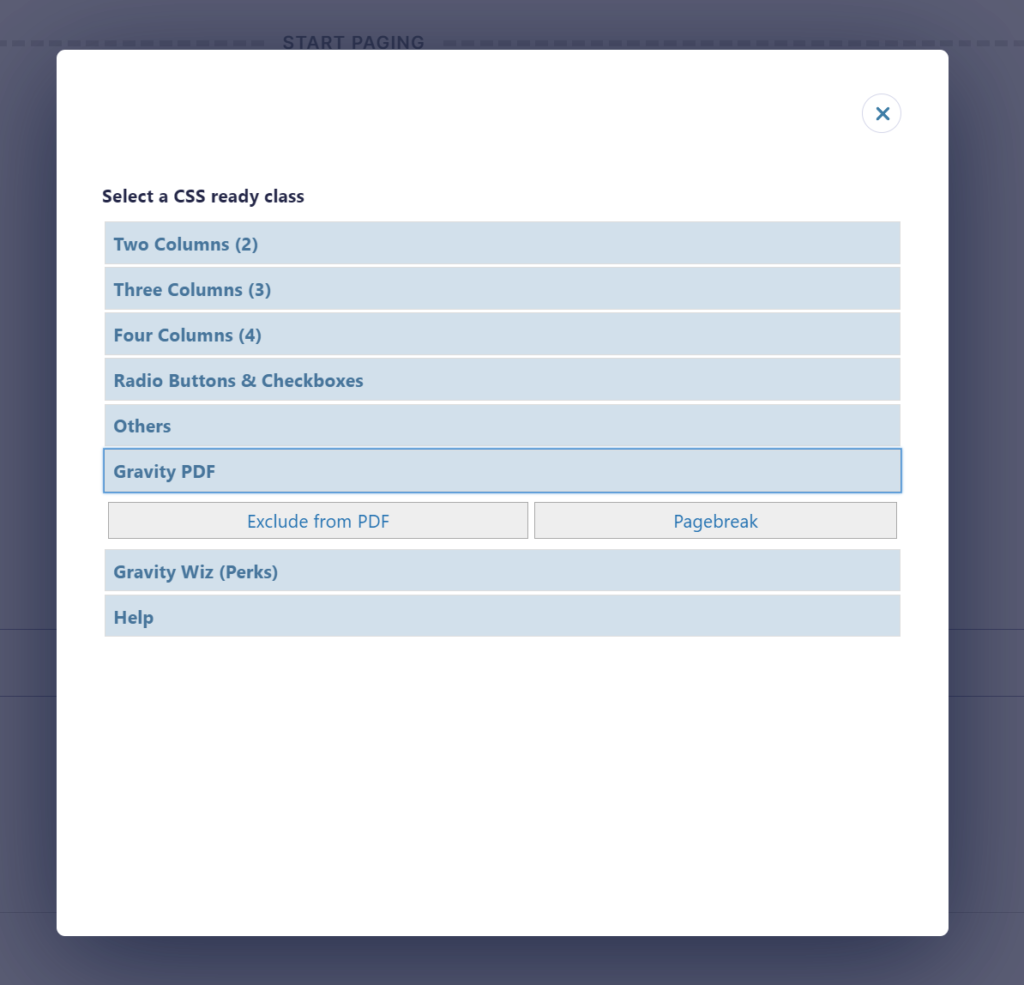
- Open the CSS modal for the field you want to edit.
- Open a group and click a class button to add its class name.
- Click another class if needed, or double-click a button to add it and close the modal.
- Save the form to keep your changes.
Existing class names stay in the field. Clicking the same shortcut again does not add a duplicate.
Reuse classes from other fields
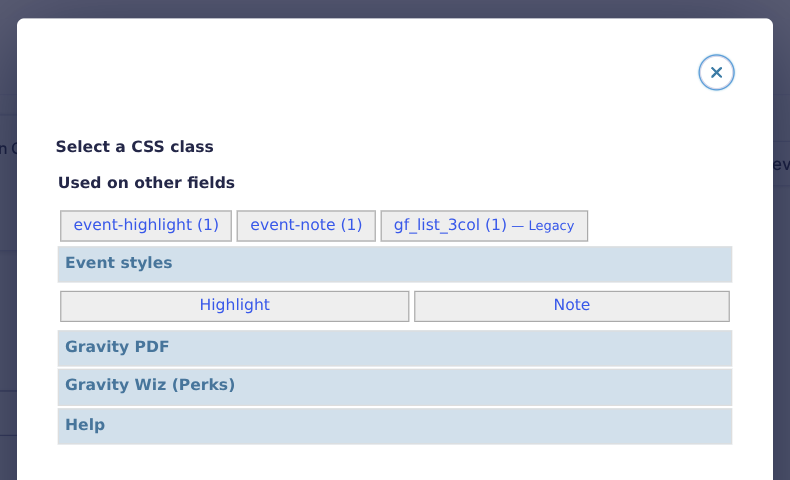
Used on other fields lists class names saved on other fields in the same form. Each shortcut shows how many other fields use it; hover over it to see the field IDs and labels. The selected field is excluded from these counts.
Known Ready Classes receive a Legacy label, including when they come from existing fields or custom buttons. This lets you identify saved legacy classes without automatically removing them.
Available shortcuts
- Gravity PDF:
excludeleaves the field out of the PDF;pagebreakstarts a new PDF page at the field. Gravity PDF must be installed. - Copy Cat:
copy-1-to-2copies the value of Field ID 1 to Field ID 2. Gravity Wiz Copy Cat must be installed; edit the IDs to match your form. - Custom classes: manage names, labels, descriptions and groups under Forms → Settings → CSS Selector, or add developer-defined buttons with the existing filter. CSS Selector adds names, not stylesheet rules.
Legacy Ready Classes
On Gravity Forms versions earlier than 3.0, applicable legacy Ready Classes also appear in the picker. On Gravity Forms 3.0 and later, built-in Ready Classes are hidden. Use native Choice Layout settings for radio button and checkbox layouts and the native editor for field columns.
Saved legacy classes are not automatically removed or rewritten. Their styling still depends on Gravity Forms and your stylesheet.
The screenshot below shows the legacy picker on an older Gravity Forms version; Ready Class groups are not shown on Gravity Forms 3.0 and later.