Enable Textarea
With the GravityWP – List Text add-on for Gravity Forms you can turn a column in a Gravity Forms List Field into a Text area. This provides more room to type text inside a List Field column.
For single column it looks like this: After activating the ‘Enable Text Options’ checkbox in your List Field settings, you can select ‘Enable Textarea’. You can also (optionally) fill in a placeholder for the column. You can also specify the number of lines (the height) of your Textarea:
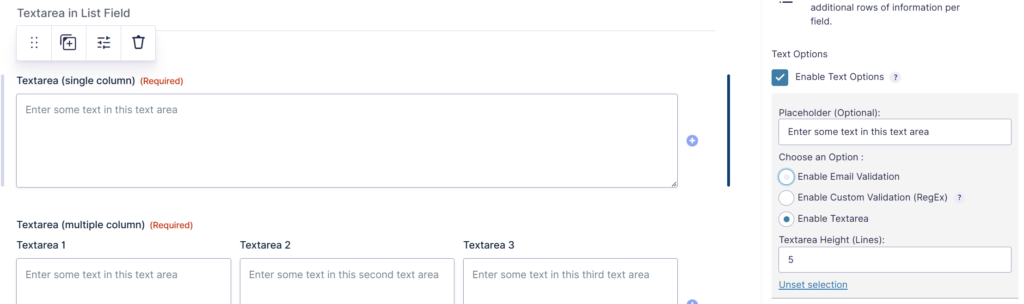
This works the same way for multiple columns in the List Field:
