Open CSS modal
The CSS Selector modal is a small picker for custom and add-on class names in the Gravity Forms editor. Open it from a field’s Custom CSS Class setting.
- Open your form in the Gravity Forms editor.
- Select a field and open Field Settings → Appearance.
- Click the CSS Selector button under Custom CSS Class.
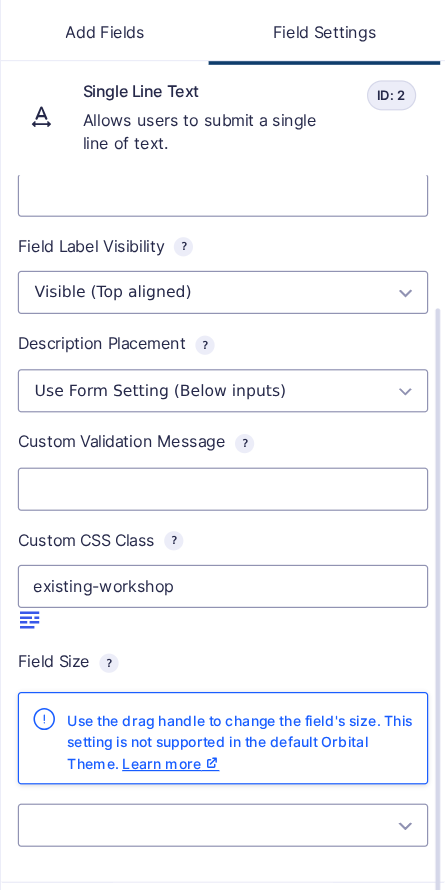
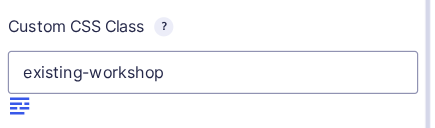
On Gravity Forms 3.0 and later, the picker shows custom class buttons, Gravity PDF and Copy Cat shortcuts, not legacy Ready Classes. Existing saved classes remain unchanged.
See Selecting CSS for how to add classes, or Add custom CSS buttons to set up your class library.
Older editor screenshots
These earlier screenshots show the button in older Gravity Forms editor layouts.

