Add-on: Common issues with License activation
Issue 1: Members capability issue
If you have the Members plugin active you must add the necessary capabilities to your user’s role.
Go to WP-Admin -> Members -> Roles -> Adminstrator -> GF Add-ons and tick the ‘ Add-On Settings’ box of the plugin you want to activate.

Issue 2: Something went wrong
In some cases, an unknown error may occur and the plugin may show a message such as:
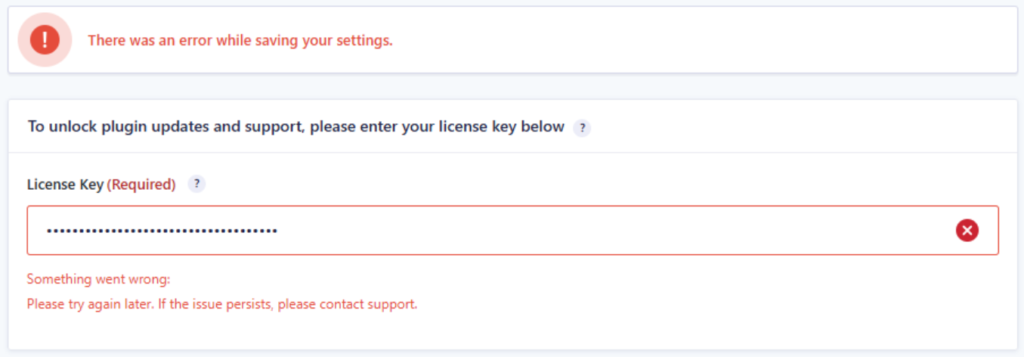
This usually means that your website could not connect to our license server.
Possible cause: shared hosting
If your website is hosted on shared hosting, the request may be blocked before it reaches our license or update server.
This can happen because your website shares an outgoing IP address with other websites on the same hosting platform. If another website on that IP address is used for malicious activity, our hosting provider’s Cloudflare firewall may automatically block the IP address.
This does not necessarily mean there is a problem with your website. It means the outgoing IP address used by your hosting provider may currently be blocked.
Possible solutions:
- Wait a few days
In many cases, the block is temporary and is removed automatically after some time. - Ask your hosting provider for a fresh outgoing IP address
Your host may be able to move your website to a different outgoing IP address. - Use higher-quality hosting
A more secure hosting provider will actively monitor and prevent outgoing malicious traffic from other websites on the same server or network. - Update the plugin manually
You can keep the license deactivated and download or update the plugin manually. This does not affect the functionality of the plugin itself.
Possible cause: outgoing firewall rules
Most websites do not have a firewall that blocks outgoing traffic. However, if your website or server does use outgoing firewall rules, please make sure that traffic to the following domain is allowed:
my.gravitywp.com
If the connection to this domain is blocked, the license check and automatic updates may fail.