Do you want to show a slider in your Gravity Form? This is the way to do it. Simply add a slider and decide how to show it: what is the maximum (in currency, or number) and minimum and which steps can they make.
Advanced Number Field
For this functionality you need to install the Advanced Number Field Add-on for Gravity Forms.
Enabling Slider
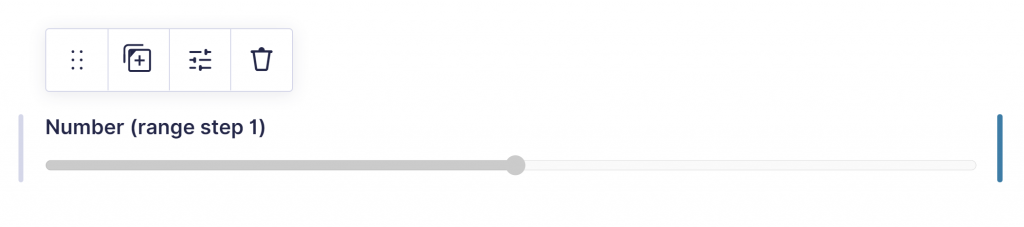
The Advanced Number Field add-on allows you to show a Gravity Forms Number Field as slider.
- You can define a Minimum and Maximum Range for the Slider
- You can define the Range Step (the intervals).
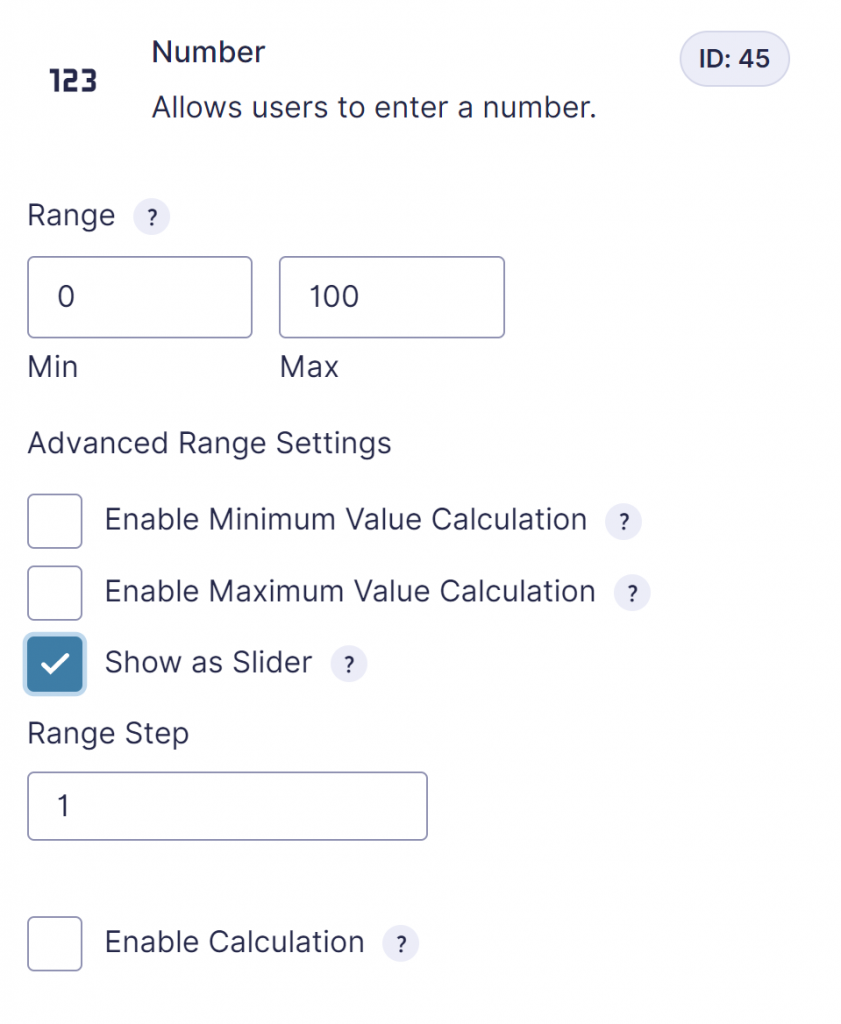
Showing slider value real-time
The slider has a real-time textual output, next to the slider, but it is also possible to show the output in another spot. You can paste this little snippet below in a HTML field to show a real-time number while scrolling through the range slider.
<span id="slidernumber"></span><script>
jQuery(document).ready(function($) {
$(document).on('input', '#input_15_1', function() {
$('#slidernumber').html( $(this).val() );
});
});
</script>Advanced Number Field
For this functionality, you need the Advanced Number Field plugin from GravityWP.
Styling the slider
We’ve created a HTML5 slider styler tool to easily create custom CSS you can use to style your own Gravity Forms slider field when you’re using Advanced Number Field.
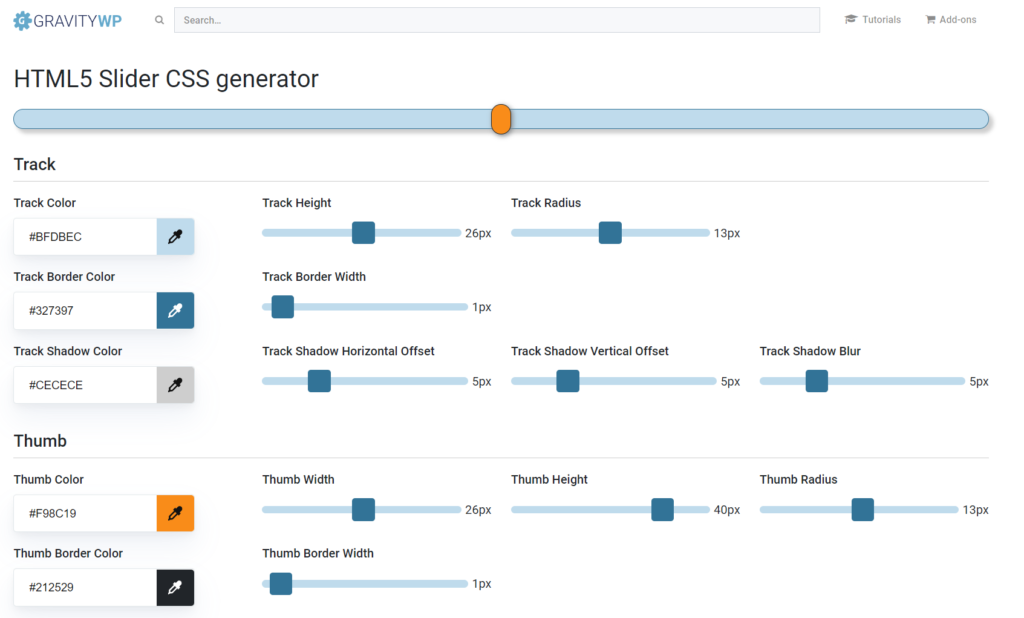
Examples of styled sliders
Here a few examples of styled HTML5 sliders for Gravity Forms. Click on the image to see the configuration and copy the custom CSS code. You can also change the styling settings and save your own design.



Budget slider
Read our tutorial about Styling your Gravity Forms Range Slider to make it fit with your theme and branding.

Our Premium add-ons for Gravity Forms
List Text
Add features like textarea, placeholder and custom validation to a column or multiple columns in a Gravity Forms List Field.

Update Multiple Entries
Trigger the update of multiple entries in a target form by submitting an entry in a trigger form.

Entry to Database
Integrates Gravity Forms with internal or external databases, offering flexible mapping of form fields to database columns and real-time synchronization between entries and database rows.

n8n Connector
Connect Gravity Forms to n8n and automate your workflows with secure, flexible, and powerful webhooks. Go beyond simple notifications and build advanced, two-way automations.
Read tutorials about

How to Validate Repeatable Contact Rows in Gravity Forms
Learn how to validate repeatable Gravity Forms List field rows with GravityWP List Text. This tutorial shows how to add email and regex validation, test invalid values, and confirm that valid team roster data is stored correctly.

Gravity Forms Airtable Integration: Create Records From Form Submissions
Learn how to build a Gravity Forms Airtable integration with GravityWP API Connector. Send form submissions to Airtable, create new records automatically, and save the returned Airtable Record ID and response back to Gravity Forms.

Gravity Forms Asana Integration: Create Tasks From Form Submissions
Learn how to connect Gravity Forms to Asana with GravityWP API Connector. This tested workflow creates Asana tasks from form submissions and saves the returned task ID and URL back to Gravity Forms.

Gravity Forms Google Calendar Integration: Create Events From Form Submissions
Connect Gravity Forms to Google Calendar with GravityWP API Connector. Learn how to create calendar events from form submissions, map event details, configure OAuth 2.0, handle time zones, and save the returned Event ID and URL.
