Do you want to dynamically generate choices (and values) for select fields like Drop Down, Checkboxes, Radio Buttons and Multi Select, based on(Custom) Post Titles or Taxonomies? With Populate Anything from GravityWiz that is as easy as it gets.
Dynamic Post Titles Choices in Drop Down
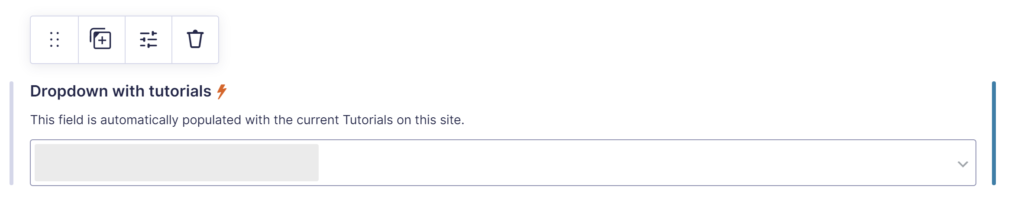
When you select a Drop Down Gravity Forms Field, you get extra options to Populate choices dynamically. After you’ve done that, you can see a litter thunderstorm icon next to the Label in the Gravity Forms editor:
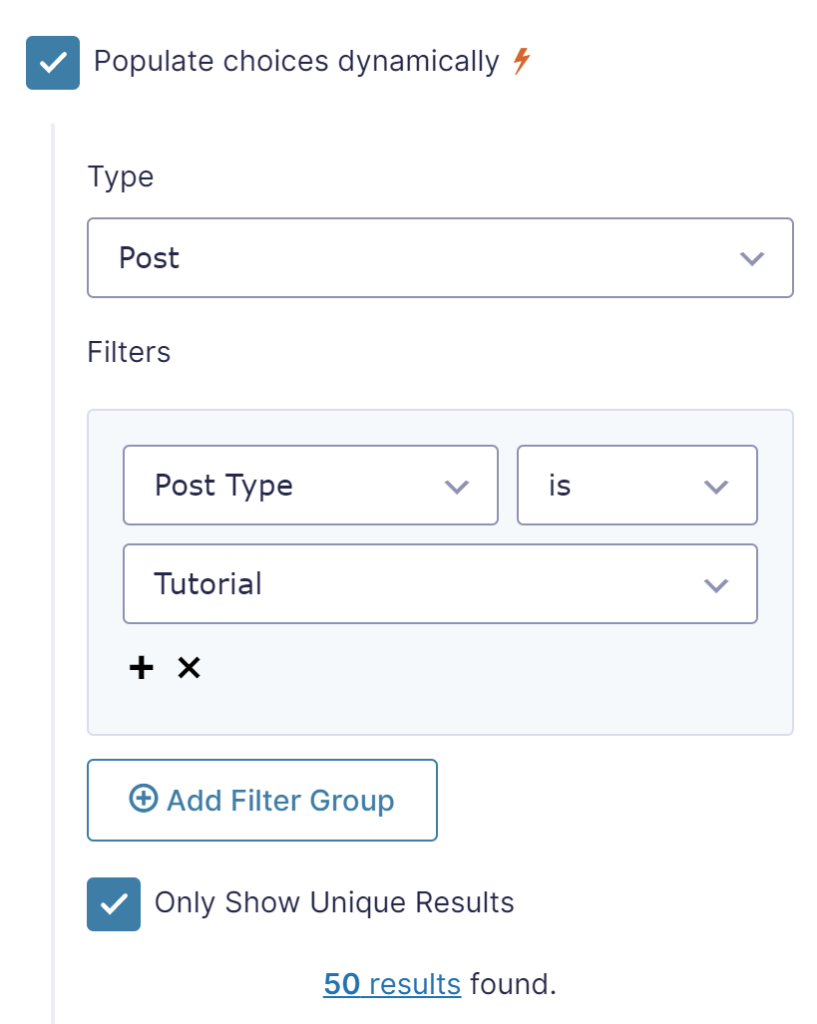
To activate populating choices, you click the checkbox. You get a choice to select which data you want to use to populate the choices. In this example we’ve selected Type = Post, because we want to populate our Drop Down field with WordPress Custom Post Titles.
We’ve also added a Filter Group, where we only want to include Posts that have as Post Type Tutorial.
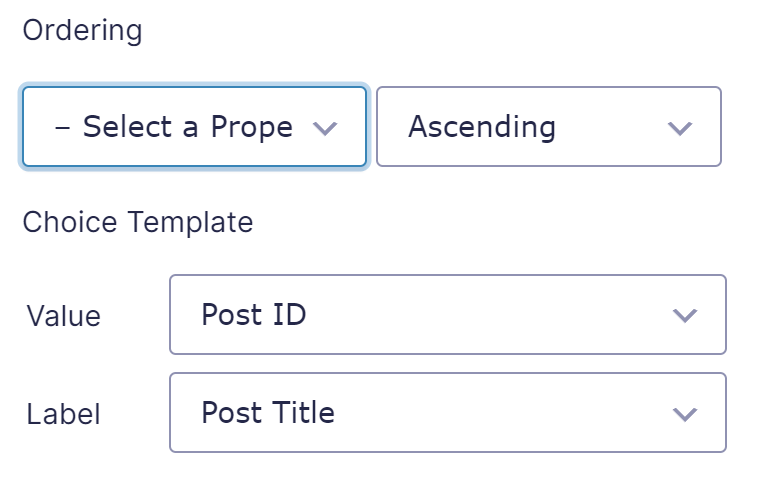
You have extra options to determine how the Drop Down choices should be ordered.
At the end, you can configure which data should be used for the Value and for the Label of the Drop Down Choice.
Checkbox or Radio Buttons with Choices based on WordPress (Custom) Taxonomy
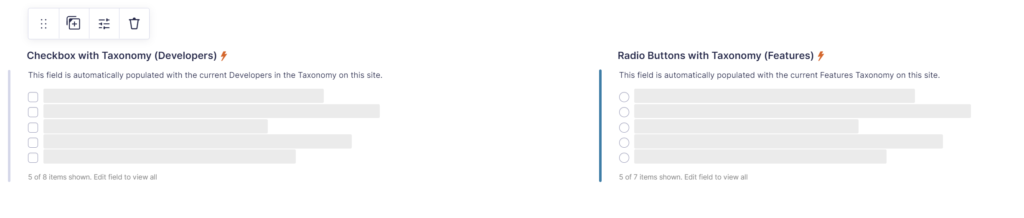
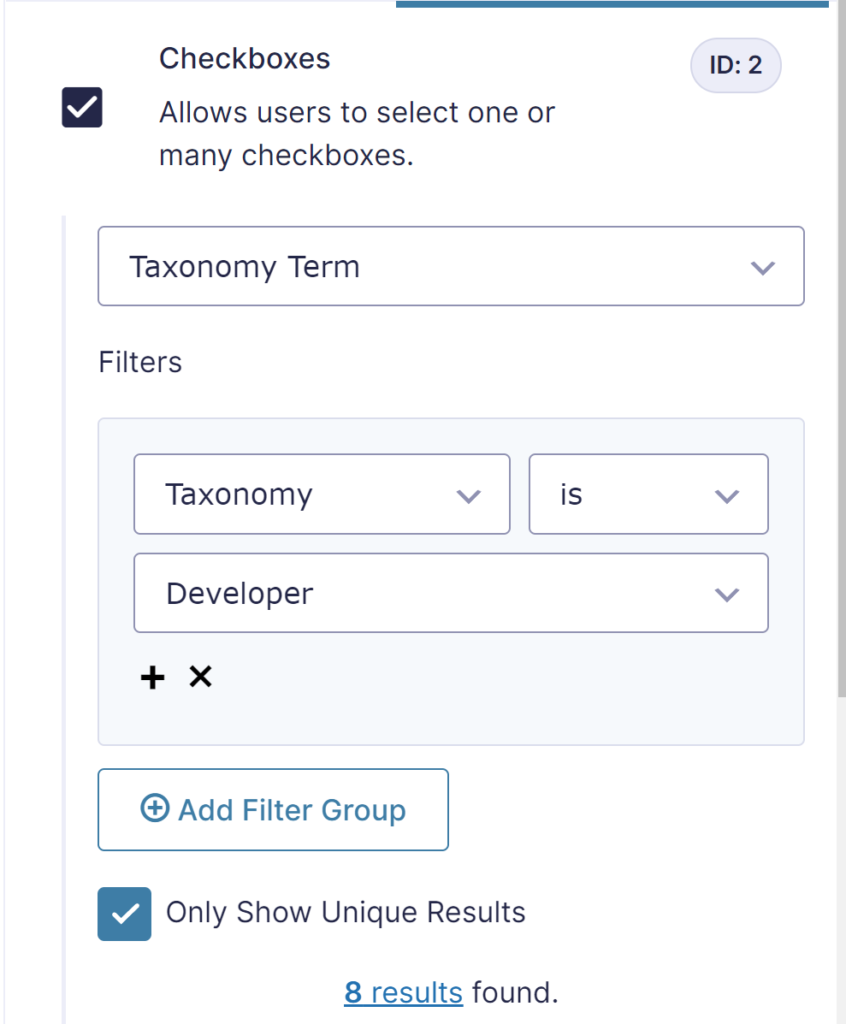
It works basically the same for other data sources. In the below example we use a custom WordPress Post Taxonomy (Developer) to generate the choices of the Gravity Forms Checkbox Field automatically.
Our Premium add-ons for Gravity Forms

Update Multiple Entries
Trigger the update of multiple entries in a target form by submitting an entry in a trigger form.

All Entries
All your new Gravity Forms entries in one central place. Stop navigating between multiple forms to find new entries. Get immediate oversight and full control with a powerful, unified dashboard.
List Datepicker
Add a Datepicker with calendar select to a column or multiple columns in a Gravity Forms List Field.

List Number Format
With this Gravity Forms Add-on you can change List Field columns into a number field, do calculations within a row or column. Extra merge tags are available with total counts of columns.
Read tutorials about

How to Validate Repeatable Contact Rows in Gravity Forms
Learn how to validate repeatable Gravity Forms List field rows with GravityWP List Text. This tutorial shows how to add email and regex validation, test invalid values, and confirm that valid team roster data is stored correctly.

Gravity Forms Airtable Integration: Create Records From Form Submissions
Learn how to build a Gravity Forms Airtable integration with GravityWP API Connector. Send form submissions to Airtable, create new records automatically, and save the returned Airtable Record ID and response back to Gravity Forms.

Gravity Forms Asana Integration: Create Tasks From Form Submissions
Learn how to connect Gravity Forms to Asana with GravityWP API Connector. This tested workflow creates Asana tasks from form submissions and saves the returned task ID and URL back to Gravity Forms.

Gravity Forms Google Calendar Integration: Create Events From Form Submissions
Connect Gravity Forms to Google Calendar with GravityWP API Connector. Learn how to create calendar events from form submissions, map event details, configure OAuth 2.0, handle time zones, and save the returned Event ID and URL.

