With GravityView and the addon DataTables it gets really easy to export data from Gravity Forms directly to Excel. Ofcourse, Gravity Forms offers the possibility to export data in a .CSV format. But you probably also want the option to download directly to an Excel format from the front-end of your website.
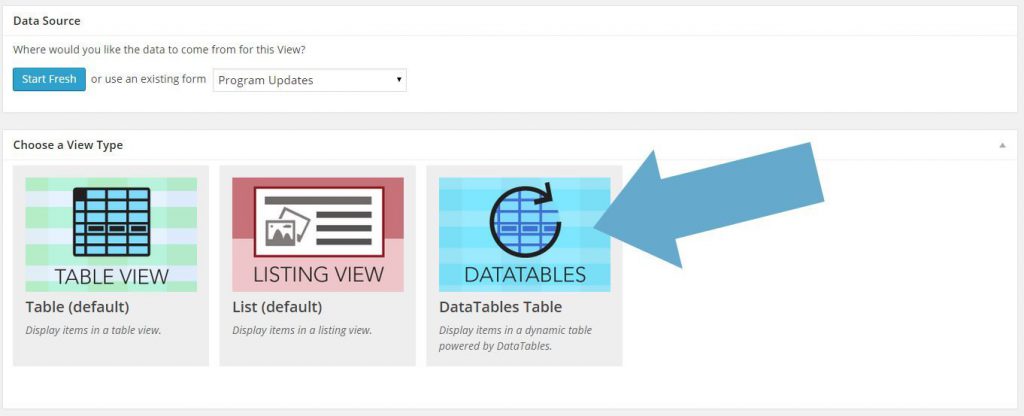
Create New View & Choose for DataTables
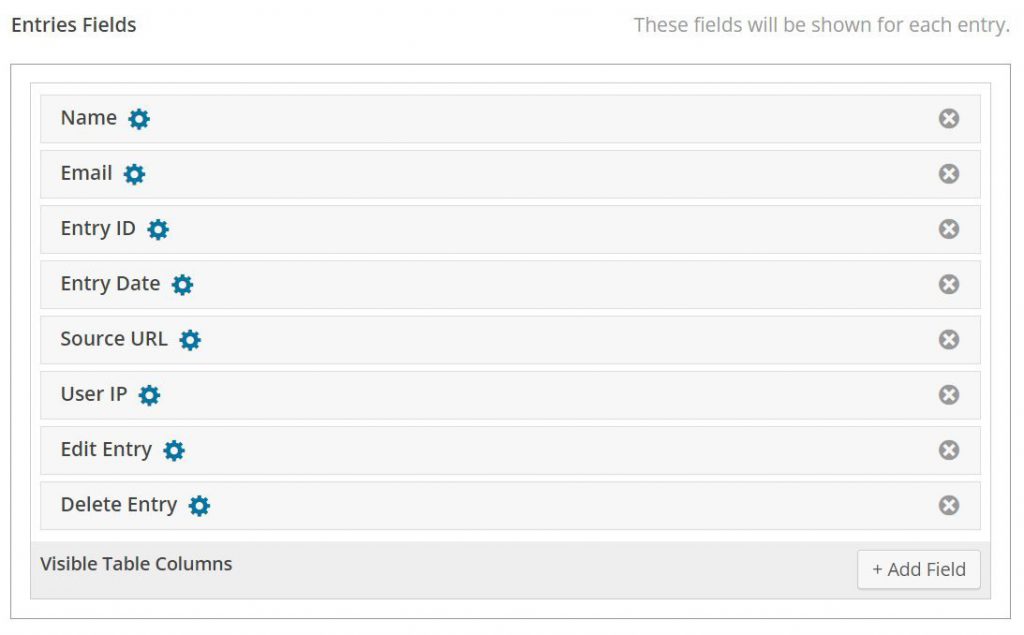
Choose the Fields you want in your View
In de Entries Fields you can choose for visible fields. These fields will also be available for download in Excel after you save the View. After selecting the columns for Excel, you can change the Label names. These new Label Names will be used as Column Names in Excel.
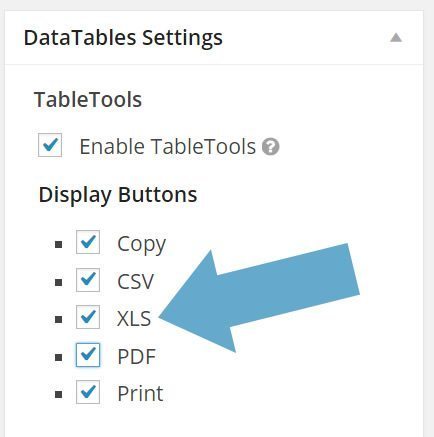
Choose Excel as one of the Download Options
On the left side of the Create View page, you have tab with DataTables Settings. Choose here under ‘Display Buttons’ for XLS.
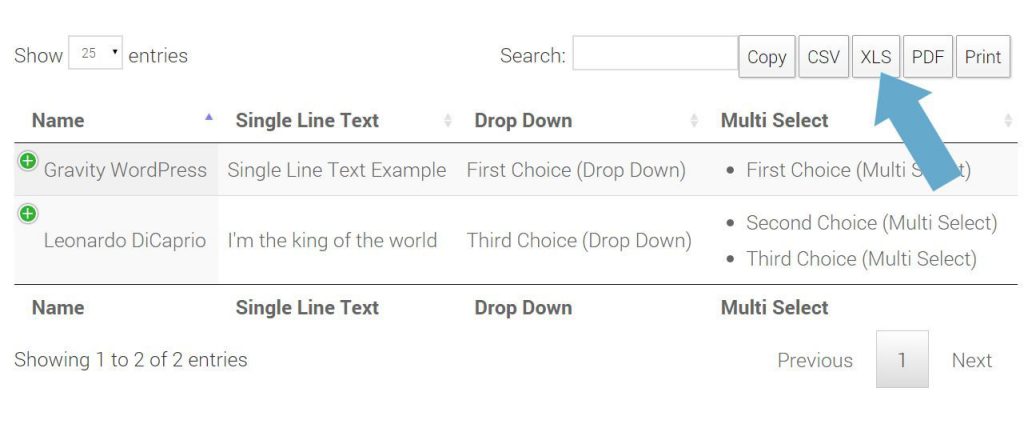
View online and download Entries to Excel
After these steps, you are ready to publish your View on your website. As you see, you have a few options to Download the data which is shown in DataTables. Click on XLS to download the visible data in Excel. If you filter the results, you can download the filtered results in Excel.
Demo DataTables
| Keyword | Avg. monthly searches | Competition | Top of page bid (low range) | Top of page bid (high range) |
|---|---|---|---|---|
| Keyword | Avg. monthly searches | Competition | Top of page bid (low range) | Top of page bid (high range) |
Our Premium add-ons for Gravity Forms

Update Multiple Entries
Trigger the update of multiple entries in a target form by submitting an entry in a trigger form.
List Text
Add features like textarea, placeholder and custom validation to a column or multiple columns in a Gravity Forms List Field.

DateTime Field
The GravityWP - DateTime Field add-on adds a dedicated Date/Time field to Gravity Forms so users can enter both a date and a time in a single input.

List Dropdown
Add a Dropdown Select with choices to a column or multiple columns in a Gravity Forms List Field.
Read tutorials about

Gravity Forms Airtable Integration: Create Records From Form Submissions
Learn how to build a Gravity Forms Airtable integration with GravityWP API Connector. Send form submissions to Airtable, create new records automatically, and save the returned Airtable Record ID and response back to Gravity Forms.

Gravity Forms Asana Integration: Create Tasks From Form Submissions
Learn how to connect Gravity Forms to Asana with GravityWP API Connector. This tested workflow creates Asana tasks from form submissions and saves the returned task ID and URL back to Gravity Forms.

Gravity Forms Google Calendar Integration: Create Events From Form Submissions
Connect Gravity Forms to Google Calendar with GravityWP API Connector. Learn how to create calendar events from form submissions, map event details, configure OAuth 2.0, handle time zones, and save the returned Event ID and URL.

Gravity Forms Notion Integration: Create Database Pages Without Zapier
Connect Gravity Forms to Notion without Zapier. This tested tutorial shows how to create Notion database pages from form submissions and save the returned page ID, URL, creation time, and API response.
