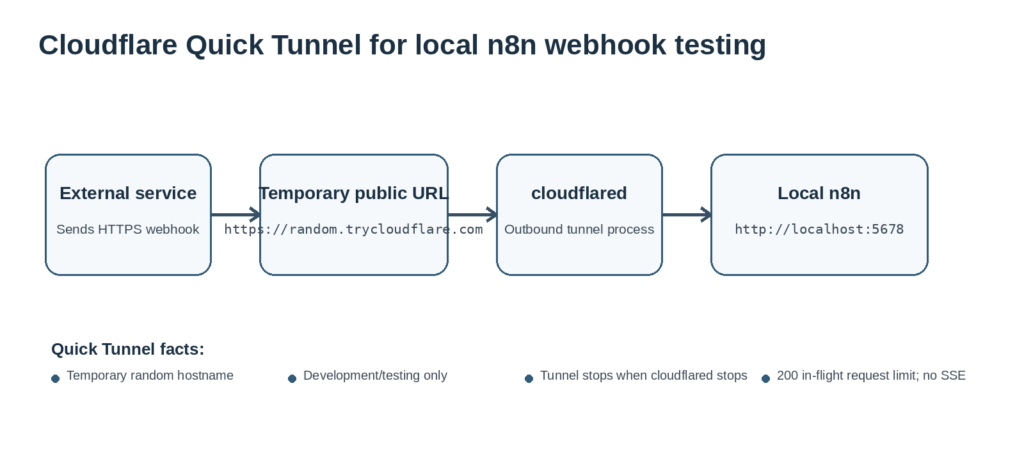
A Cloudflare Quick Tunnel can expose a local n8n instance on a temporary HTTPS URL so an external service can reach your webhook during development. You keep n8n running on http://localhost:5678 while cloudflared gives you a random trycloudflare.com address for the current session.
Use this setup for short-lived webhook testing, not production hosting. Cloudflare says Quick Tunnels are for testing and development only. They have a 200 in-flight request limit, do not support Server-Sent Events (SSE), and do not come with an uptime guarantee.
Quick command: If n8n is already running locally, the core Windows command is:
.\cloudflared.exe tunnel –url http://localhost:5678
What Does a Cloudflare Quick Tunnel Do?
cloudflared creates outbound connections from your machine to Cloudflare. Cloudflare then proxies requests from a public trycloudflare.com hostname back to the local URL you supplied. You do not need a Cloudflare account or your own domain for a Quick Tunnel.
The public hostname is temporary and random. A new cloudflared process can receive a different hostname, so do not treat the URL as a permanent integration endpoint.
This approach is also relevant now that n8n has discontinued its former built-in tunnel service. n8n recommends third-party tunneling services, including Cloudflare Tunnel, for local webhook development.
Where Does This Fit in an n8n Setup?
A Quick Tunnel is not a new hosting option. It is a temporary bridge between a local n8n instance and an external service that needs a public HTTPS endpoint.
- Use local n8n + Quick Tunnel when you need to test a webhook for a short session.
- Use a named Cloudflare Tunnel when you need a stable hostname and managed tunnel configuration.
- Use n8n Cloud or a properly managed VPS when the workflow must stay reachable for production use.
For long-term hosting choices, see How to Set Up an n8n Instance and Self-Host n8n With Docker Compose on a VPS.
What Do You Need Before You Start?
- A local n8n instance that already opens at http://localhost:5678.
- A Windows terminal or PowerShell session for this walkthrough.
- The current 64-bit cloudflared executable or MSI from Cloudflare.
- Internet access from the machine running cloudflared.
- A webhook workflow or external service you want to test.
Cloudflare also provides packages for macOS and Linux, but the steps below keep the Windows workflow used in the original GravityWP test.
How Do You Set Up Cloudflare Tunnel for Local n8n on Windows?
1. Confirm That n8n Is Running Locally
Open this address in your browser:
http://localhost:5678
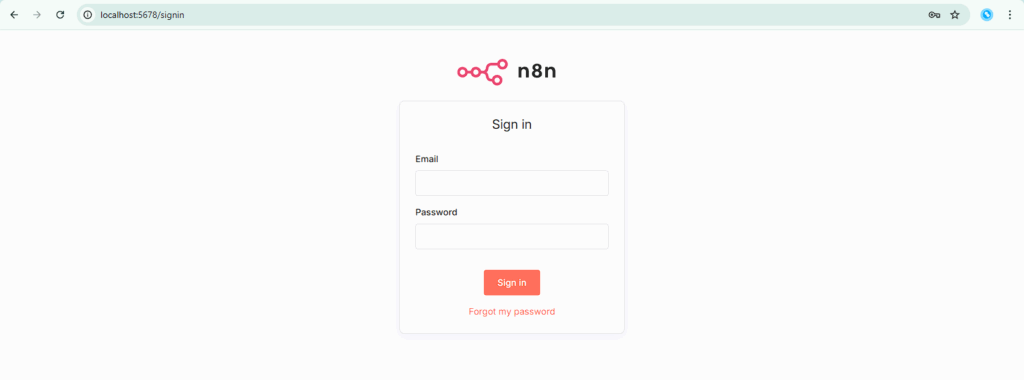
If the n8n sign-in or editor page loads, the local origin is ready. If it does not, start your local n8n process or container before creating a tunnel.
2. Download and Verify cloudflared
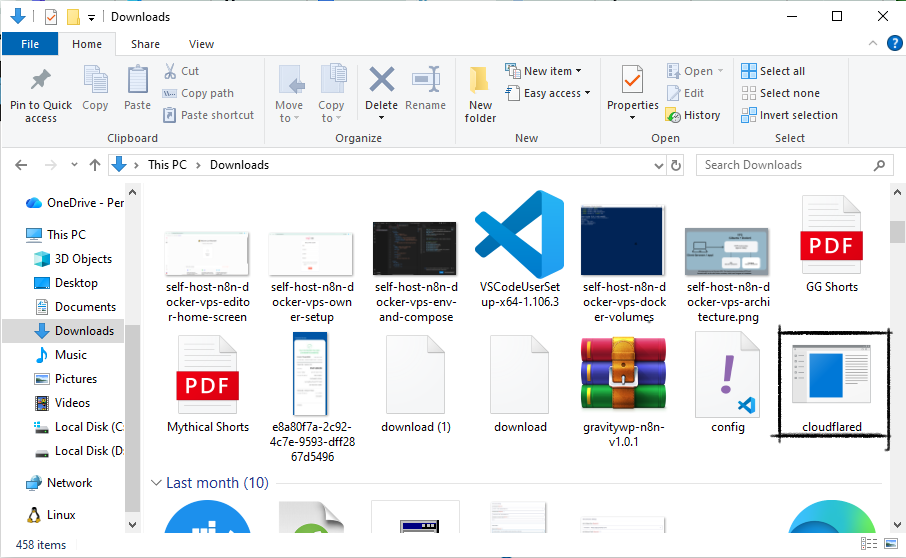
Download the Windows executable or MSI from Cloudflare Tunnel Downloads. If you use the executable, you can rename it to cloudflared.exe for shorter commands.
Open PowerShell in the folder that contains cloudflared.exe and verify the binary:
.\cloudflared.exe –version
Windows update note: Cloudflare says cloudflared does not automatically update on Windows, so check for updates periodically.
3. Start a Quick Tunnel to Port 5678
Run this command exactly. The option uses two normal hyphens before url:
.\cloudflared.exe tunnel –url http://localhost:5678
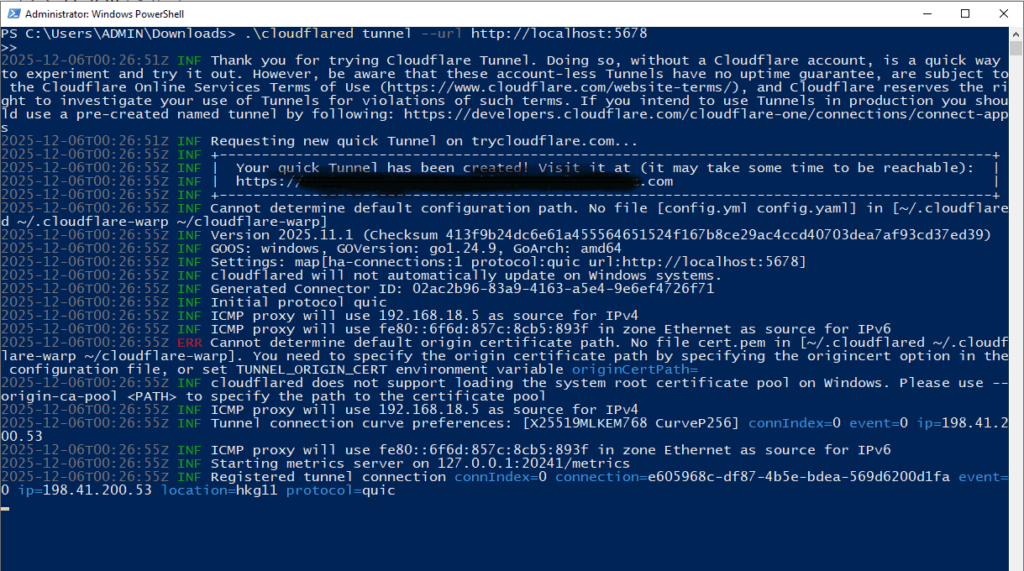
The old live article text used an en dash in front of url. That can break a copied command. The current Cloudflare syntax is –url.
Keep the PowerShell window open. If you stop cloudflared or close the process, the Quick Tunnel ends and the temporary URL stops working.
If Quick Tunnel does not start: Cloudflare says Quick Tunnels are not supported when a config.yaml file is present in the default .cloudflared directory. You may need to rename that configuration file temporarily.
4. Open the Public trycloudflare.com URL
Copy the HTTPS URL printed by cloudflared and open it in a browser. If the tunnel is working, Cloudflare should proxy the request to the n8n instance listening on localhost:5678.
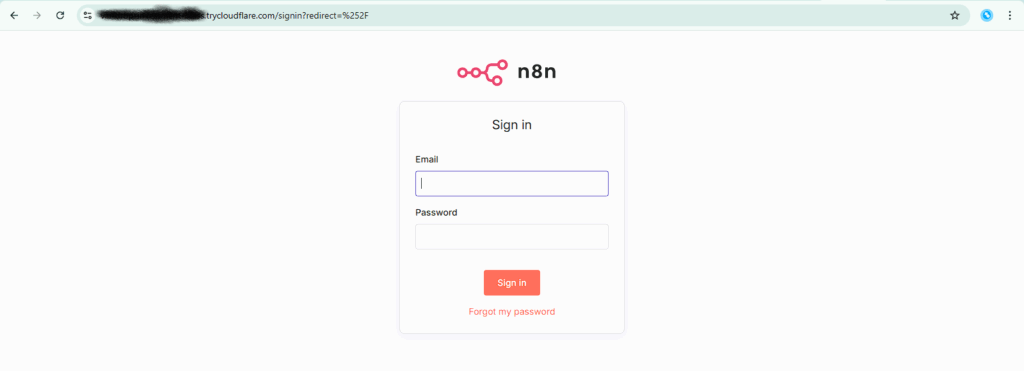
The hostname is public while the tunnel is active. Anyone who has the URL can send requests to it, so minimize exposure time and keep your n8n account protected.
How Do You Use a Cloudflare Tunnel With n8n Webhooks?
n8n creates separate Test and Production webhook URLs. For local development, the main problem is that n8n may still display localhost in those URLs even though Cloudflare has created a public HTTPS hostname.
| URL type | How to start it | Listening period | Best use |
|---|---|---|---|
| Test URL | Select Listen for test event | 120 seconds | Build and debug the workflow in the editor |
| Production URL | Publish the workflow | Until the workflow is unpublished | Calls from the external service after testing |
For a short Quick Tunnel test: take the webhook path shown by n8n and use it with the current trycloudflare.com hostname. For example, if n8n shows a path beginning with /webhook-test/ or /webhook/, the public request must use the same path on the Quick Tunnel hostname.
If you want n8n itself to display and register the public hostname: n8n’s current reverse-proxy guidance says to set N8N_WEBHOOK_URL to the public HTTPS base URL and N8N_PROXY_HOPS=1. With a Quick Tunnel, the hostname changes when you create a new tunnel, so this is inconvenient for short tests and may require restarting the n8n process each time.
N8N_WEBHOOK_URL=https://random-example.trycloudflare.com/
N8N_PROXY_HOPS=1
Important: N8N_WEBHOOK_URL replaces the deprecated WEBHOOK_URL variable.
How Do You Test an n8n Webhook Through the Tunnel?
- Start n8n locally and confirm http://localhost:5678 loads.
- Start cloudflared with the corrected –url command.
- Copy the temporary HTTPS hostname.
- For a Test URL, select Listen for test event in the Webhook node before sending the request.
- Send the request to the public hostname plus the webhook path.
- Confirm the execution appears in n8n.
- When the workflow is ready, publish it before using the Production URL.
- Stop the Quick Tunnel after testing is complete.
If you are testing Gravity Forms, you can use the current public webhook URL in the GravityWP n8n Connector. For connector setup, see Getting Started: n8n and Gravity Forms.
Why Does n8n Still Show localhost or Say an HTTPS URL Is Required?
Creating the Cloudflare Tunnel does not automatically change n8n’s configured public base URL. If an external service requires HTTPS but n8n is still giving you http://localhost:5678, use the current public Quick Tunnel hostname for the test or configure N8N_WEBHOOK_URL as described above.
Also check that the workflow is using the correct webhook type: Test URL while Listen for test event is active, or Production URL after the workflow is published.
Quick Tunnel Troubleshooting Checklist
- n8n does not load locally: fix the local service before starting cloudflared.
- cloudflared.exe is not found: open PowerShell in the correct folder or install cloudflared in a known path.
- The command fails: confirm –url uses two ASCII hyphens.
- The old public URL stopped working: start a new Quick Tunnel and use the new hostname.
- Quick Tunnel will not start: check the default .cloudflared directory for config.yaml and rename it temporarily if needed.
- n8n still displays localhost: use the public hostname with the webhook path, or configure N8N_WEBHOOK_URL and restart n8n.
- Cloudflare returns HTTP 429 under heavy load: Quick Tunnels are limited to 200 in-flight requests.
- Your test depends on SSE: Quick Tunnels do not support Server-Sent Events.
What If the Browser Shows a Security Warning?
The original GravityWP test encountered a browser warning on one generated TryCloudflare URL. Treat browser security warnings seriously. Only continue when you created the tunnel yourself, control the local origin, and understand what the public URL exposes. Do not tell clients or users to bypass a warning for a production workflow.
Because a Quick Tunnel exposes a reachable public hostname, use strong account security, avoid unnecessary anonymous endpoints, and stop the tunnel when the test is finished.
What Are the Limits of Cloudflare Quick Tunnels?
| Item | Quick Tunnel behavior |
|---|---|
| Purpose | Testing and development only |
| Hostname | Random trycloudflare.com subdomain |
| Stability | No SLA or uptime guarantee |
| Concurrency | 200 in-flight requests; excess requests return HTTP 429 |
| SSE | Not supported |
| Lifetime | Ends when the cloudflared process stops |
| Configuration | Quick Tunnel can conflict with config.yaml in the default .cloudflared directory |
When Should You Use a Named Cloudflare Tunnel Instead?
Move beyond a Quick Tunnel when you need a stable hostname, persistent service configuration, Cloudflare dashboard management, or long-term availability. A named Cloudflare Tunnel requires a Cloudflare account and a domain or zone you control, but it avoids the random hostname behavior of TryCloudflare.
For a full production n8n deployment, a named tunnel is only one option. n8n Cloud or a properly maintained VPS with HTTPS may be a better fit depending on who will manage the infrastructure.
When Does This Cloudflare Tunnel n8n Setup Make Sense?
Use it when:
- You are building or debugging an n8n workflow locally.
- A real external service must call your webhook over HTTPS.
- You need a temporary public URL without buying or configuring a domain.
- You can stop the tunnel as soon as the test is complete.
Do not use it when:
- You need a stable public hostname.
- The workflow needs predictable uptime.
- You are exposing a production service or customer-facing endpoint.
- Your workload requires SSE or may exceed Quick Tunnel request limits.
Final Thoughts
A Cloudflare Quick Tunnel is useful when a local n8n workflow needs a real HTTPS webhook during development. The key is to keep the scope narrow: start n8n locally, run the corrected cloudflared –url command, use the temporary public hostname for the webhook, and stop the tunnel when testing is complete.
Do not treat TryCloudflare as permanent hosting. If the workflow needs a stable URL or reliable uptime, move to a named Cloudflare Tunnel, n8n Cloud, or a properly managed VPS.
Cloudflare Tunnel n8n FAQ
On Windows, use .\\cloudflared.exe tunnel –url http://localhost:5678. The –url option uses two normal hyphens.
No. Cloudflare documents Quick Tunnels as a no-account option for exposing a local web server on a random trycloudflare.com hostname.
The tunnel creates a public route, but it does not automatically replace n8n’s configured webhook base URL. For short tests, use the public hostname with the webhook path. For configured reverse-proxy behavior, set N8N_WEBHOOK_URL and N8N_PROXY_HOPS as required by n8n.
n8n documents the Test URL as active for 120 seconds after you select Listen for test event.
Cloudflare says no. Quick Tunnels are intended for testing and development. Use a named tunnel or another production hosting approach for stable public access.
No. Cloudflare currently lists SSE as unsupported on Quick Tunnels.
Our Premium add-ons for Gravity Forms

All Entries
All your new Gravity Forms entries in one central place. Stop navigating between multiple forms to find new entries. Get immediate oversight and full control with a powerful, unified dashboard.
Advanced Merge Tags
This Gravity Forms Add-On adds extra Merge Tag modifiers (and a lot of power). From the most common used functions like capitalize and length to changing date formats.

API Connector
Connect Gravity Forms to External API's: Query the API using form field values and automatically fill other form fields with the API response.

JWT Prefill
Fill forms with data you can trust. Prefill Gravity Forms fields with a secure token instead of links with editable url parameters, so your data is accurate, tamper-proof, and ready to use.
Read tutorials about
How to Validate Repeatable Contact Rows in Gravity Forms
Learn how to validate repeatable Gravity Forms List field rows with GravityWP List Text. This tutorial shows how to add email and regex validation, test invalid values, and confirm that valid team roster data is stored correctly.
Gravity Forms Airtable Integration: Create Records From Form Submissions
Learn how to build a Gravity Forms Airtable integration with GravityWP API Connector. Send form submissions to Airtable, create new records automatically, and save the returned Airtable Record ID and response back to Gravity Forms.
Gravity Forms Asana Integration: Create Tasks From Form Submissions
Learn how to connect Gravity Forms to Asana with GravityWP API Connector. This tested workflow creates Asana tasks from form submissions and saves the returned task ID and URL back to Gravity Forms.

Gravity Forms Google Calendar Integration: Create Events From Form Submissions
Connect Gravity Forms to Google Calendar with GravityWP API Connector. Learn how to create calendar events from form submissions, map event details, configure OAuth 2.0, handle time zones, and save the returned Event ID and URL.