Gravity Forms Address Autocomplete simplifies the form filling process helping your users to enter their address with the Google Places suggest API. You make them save time by finding accurate addresses with suggestions and filling forms faster with autofill.
Demo Address Autocomplete
Adds extra options to the Gravity Forms Address field
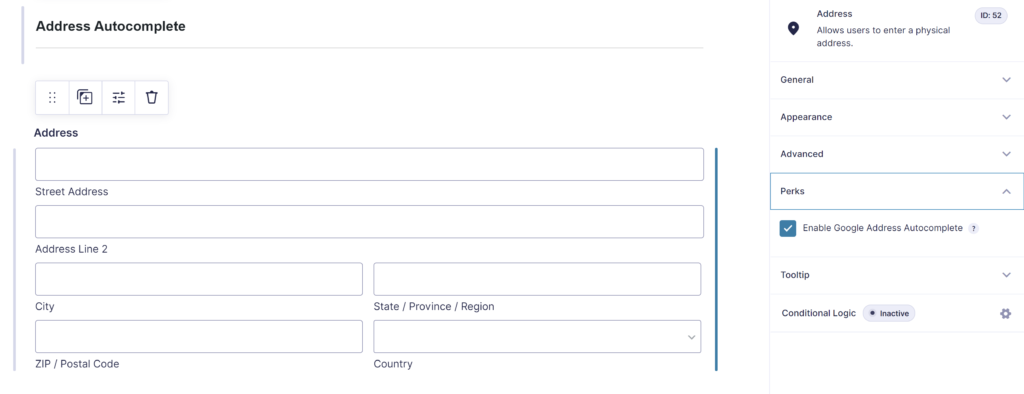
The plugin adds some extra options to the default GF Address field:
- Enable Google Address Autocomplete
Google Places API
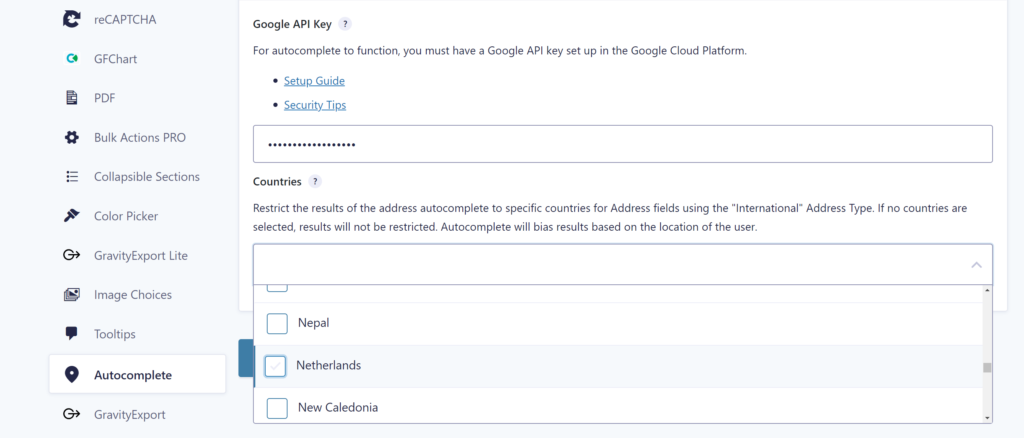
It uses Google Places API to suggest addresses to your users while they type. The admin has the option to use them exclusively on selected address fields. You can use it on as many fields as required. You can define which countries should be available for your site address fields.
Our Premium add-ons for Gravity Forms

List Number Format
With this Gravity Forms Add-on you can change List Field columns into a number field, do calculations within a row or column. Extra merge tags are available with total counts of columns.

Entry to Database
Integrates Gravity Forms with internal or external databases, offering flexible mapping of form fields to database columns and real-time synchronization between entries and database rows.

List Dropdown
Add a Dropdown Select with choices to a column or multiple columns in a Gravity Forms List Field.

Update Multiple Entries
Trigger the update of multiple entries in a target form by submitting an entry in a trigger form.
Read tutorials about

Gravity Forms Google Calendar Integration: Create Events From Form Submissions
Connect Gravity Forms to Google Calendar with GravityWP API Connector. Learn how to create calendar events from form submissions, map event details, configure OAuth 2.0, handle time zones, and save the returned Event ID and URL.

Gravity Forms Notion Integration: Create Database Pages Without Zapier
Connect Gravity Forms to Notion without Zapier. This tested tutorial shows how to create Notion database pages from form submissions and save the returned page ID, URL, creation time, and API response.

Gravity Forms ClickUp Integration: Create Tasks Without Zapier
Create a Gravity Forms ClickUp integration without Zapier. This step-by-step tutorial shows how to create ClickUp tasks from form submissions, map priority and requester data, and save returned task details back into Gravity Forms.

Gravity Forms Zendesk Integration: Create Support Tickets Without Zapier
Create Zendesk support tickets from Gravity Forms submissions with GravityWP API Connector and OAuth 2.0, then save returned ticket data in the original entry.