Gravity Perks by Gravity Wiz LLC provides you with extra, very handy options and functionalities for your Gravity Forms. Perks like Read only fields, minimum or/and maximum amount of words, copying values from one field to another, limiting checkboxes, choices, etc. There are almost 30 useful extensions of the Gravity Forms plugin available now.
About Gravity Wiz LLC
| Developer | Gravity Wiz LLC |
| Started | 2015 |
| Documentation | gravitywiz.com/documentation |
| Listed | gravityforms.com/developers/gravity-wiz |
| Languages | English |
| Main plugin | Gravity Perks |
| Extensions | 29 extensions (Perks) |
Interesting interviews and links David Smith & GravityWiz
- The Plugin Economy – Gravity Perks by David Smith
- Data Automation – The Brains, The Brawn, and The Beauty – David Smith (July 8, 2021)
- Founder David Smith: Twitter, WordPress profile, GitHub
How it works
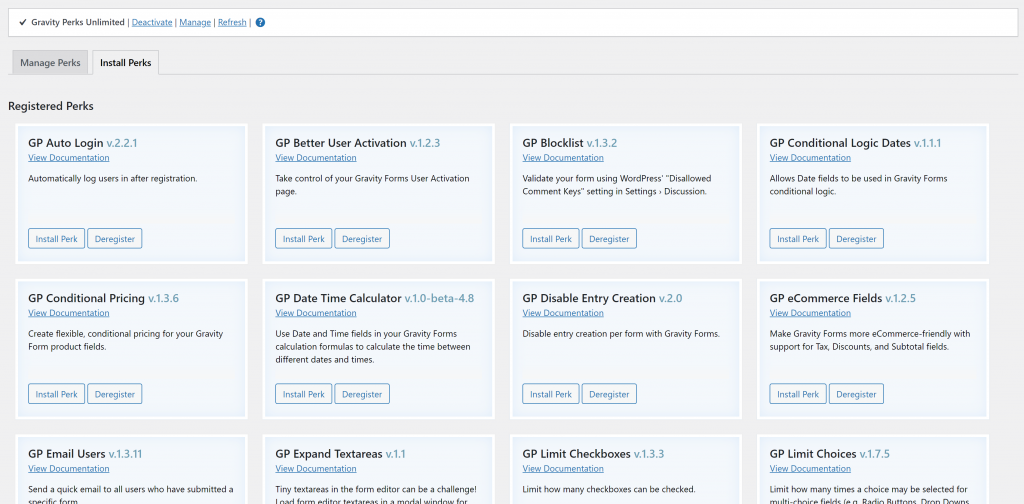
You download and install the Perks Add-on. This is the main plugin and once activated, it will give you easy access to all the individual perks.
Our favorite Perks
In our projects there are some Perks that we install right away.
GP Preview Submission
Since we’re building a lot of Multipage Gravity Forms, the Preview Submission Perk comes in super handy. It allows you to use Merge Tags (and Modifiers) from previous steps inside following steps. To populate standard values of a field or to use inside HTML Fields. Especially when you’re building complex forms, it’s a must have extension of Gravity Forms.
GP Unique ID
We need to generate unique references for our clients. The must have extension of Gravity Forms is the Unique ID Perk. With it you can generate a unique ID, code, number or combination of numbers and letters for each entry in Gravity Forms.
GP Limit Dates
We have a lot of client Forms with Date Fields with specific dates that are allowed. The Limit Dates Perk let’s you configure in a well thought out user interface which dates should be allowed inside the Date Field.
Tutorials GravityWiz
[gravitywp_custom_post_cards post_type=’tutorial’ numberposts=100 terms=7 col=6 ]
Our Premium add-ons for Gravity Forms

List Dropdown
Add a Dropdown Select with choices to a column or multiple columns in a Gravity Forms List Field.

All Entries
All your new Gravity Forms entries in one central place. Stop navigating between multiple forms to find new entries. Get immediate oversight and full control with a powerful, unified dashboard.

n8n Connector
Connect Gravity Forms to n8n and automate your workflows with secure, flexible, and powerful webhooks. Go beyond simple notifications and build advanced, two-way automations.
List Text
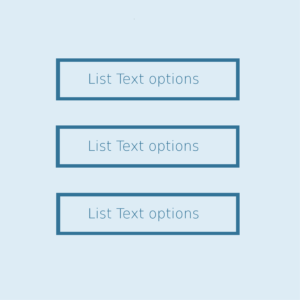
Add features like textarea, placeholder and custom validation to a column or multiple columns in a Gravity Forms List Field.
Read tutorials about

How to Validate Repeatable Contact Rows in Gravity Forms
Learn how to validate repeatable Gravity Forms List field rows with GravityWP List Text. This tutorial shows how to add email and regex validation, test invalid values, and confirm that valid team roster data is stored correctly.

Gravity Forms Airtable Integration: Create Records From Form Submissions
Learn how to build a Gravity Forms Airtable integration with GravityWP API Connector. Send form submissions to Airtable, create new records automatically, and save the returned Airtable Record ID and response back to Gravity Forms.

Gravity Forms Asana Integration: Create Tasks From Form Submissions
Learn how to connect Gravity Forms to Asana with GravityWP API Connector. This tested workflow creates Asana tasks from form submissions and saves the returned task ID and URL back to Gravity Forms.

Gravity Forms Google Calendar Integration: Create Events From Form Submissions
Connect Gravity Forms to Google Calendar with GravityWP API Connector. Learn how to create calendar events from form submissions, map event details, configure OAuth 2.0, handle time zones, and save the returned Event ID and URL.


Author: Erik van Beek
Published: 08-11-2021
Last update: 05-03-2026