Do you need a Drop Down field in your Gravity Forms list column? No need to look further, the List Drop Down plugin does just that, it gives you the ability to add Drop Down (select) Fields inside of a List Field column.
Set a List column to Dropdown
In the form editor select your single or multi column list field. Tick the ‘enable Dropdown select’ checkbox and add your predefined set of values where the user may choose from.
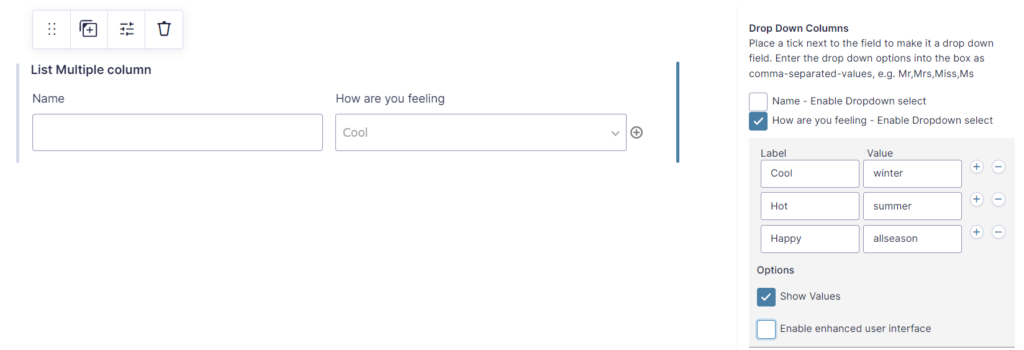
Make a difference between labels and values
Labels are visible to the form users. Values are saved in the form entry. When you tick the ‘Show Values’ option you can specify a value for each label.
Enhanced user interface
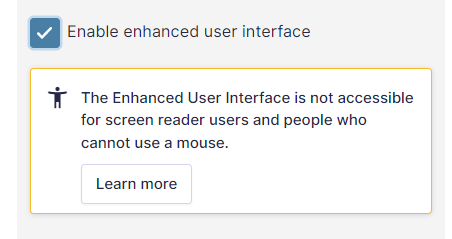
Enabling the enhanced user interface enhances the Dropdown select user interface, enabling search for example. This options comes with a downside: it is not accessible for screen readers and people without a mouse. We included it mainly for backwards compatibility reasons.
Works with List Number Format
The List Dropdown add-on for Gravity Forms works perfectly together with the GravityWP – List Number Format Add-on.
Original plugin has been closed
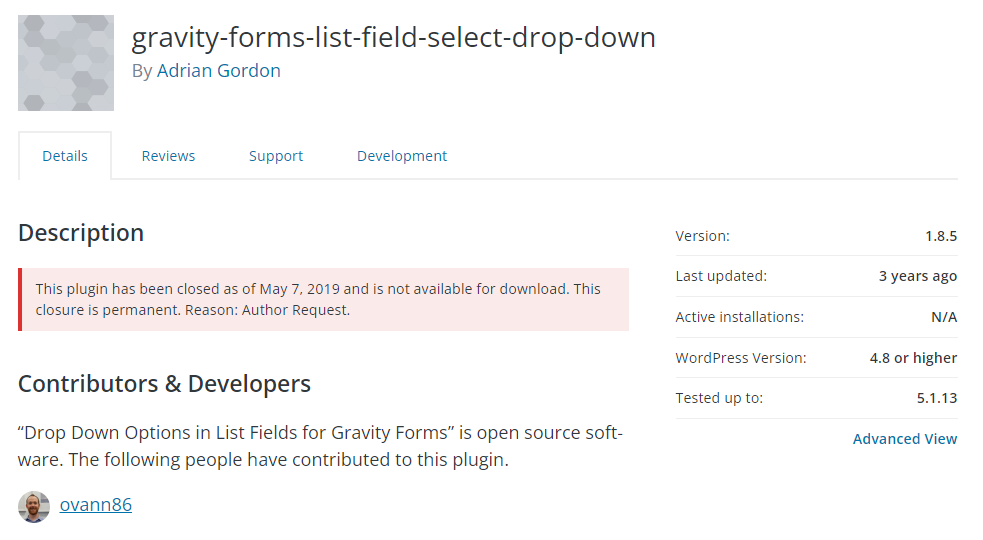
This original plugin has been closed as of May 7, 2019 and is not available for download. This closure is permanent. Reason: Author Request. See here the page on WordPress.org.
Enable Drop Down in List Fields for Gravity Forms
Just install the plugin and make a Gravity Form with a List Field. You will see this extra options:
Our Premium add-ons for Gravity Forms

n8n Connector
Connect Gravity Forms to n8n and automate your workflows with secure, flexible, and powerful webhooks. Go beyond simple notifications and build advanced, two-way automations.

DateTime Field
The GravityWP - DateTime Field add-on adds a dedicated Date/Time field to Gravity Forms so users can enter both a date and a time in a single input.
List Text
Add features like textarea, placeholder and custom validation to a column or multiple columns in a Gravity Forms List Field.

Advanced Merge Tags
This Gravity Forms Add-On adds extra Merge Tag modifiers (and a lot of power). From the most common used functions like capitalize and length to changing date formats.
Read tutorials about

Gravity Forms Notion Integration: Create Database Pages Without Zapier
Connect Gravity Forms to Notion without Zapier. This tested tutorial shows how to create Notion database pages from form submissions and save the returned page ID, URL, creation time, and API response.

Gravity Forms ClickUp Integration: Create Tasks Without Zapier
Create a Gravity Forms ClickUp integration without Zapier. This step-by-step tutorial shows how to create ClickUp tasks from form submissions, map priority and requester data, and save returned task details back into Gravity Forms.

Gravity Forms Zendesk Integration: Create Support Tickets Without Zapier
Create Zendesk support tickets from Gravity Forms submissions with GravityWP API Connector and OAuth 2.0, then save returned ticket data in the original entry.

Gravity Forms Discount Code Field: Apply Fixed or Percentage Discounts in a Form
Learn how to create a Gravity Forms discount code field that applies fixed or percentage discounts. This tutorial shows how to calculate subtotals, discount amounts, and final totals using tested form logic.
