Do you want to calculate how many hours there are in between different Time Fields? Or days or years in between two different Date Fields? With the Gravity Forms Date Time Calculator Add-on from Gravity Perks you can easily do that.
Calculating seconds, minutes, hours in between Time Fields
The Add-on adds extra Merge Tags that are availabe for Number Field calculations. In this example we’ve added the End Time Merge Tag and substracted the Start Time Merge Tag.
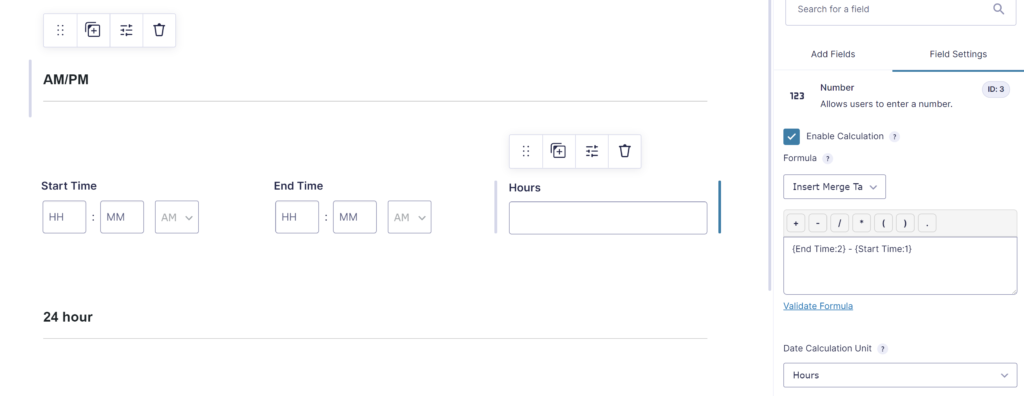
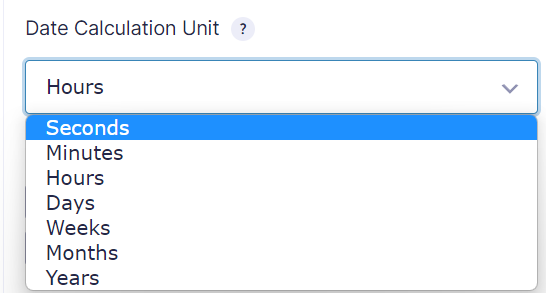
Once you add a Time Field Merge Tag to your calculations, an extra dropdown comes available to pick how you want to show the result: Seconds, Minutes, Hours, Days, Weeks, Months, Years.
Calculating days, months, years in between Date Fields
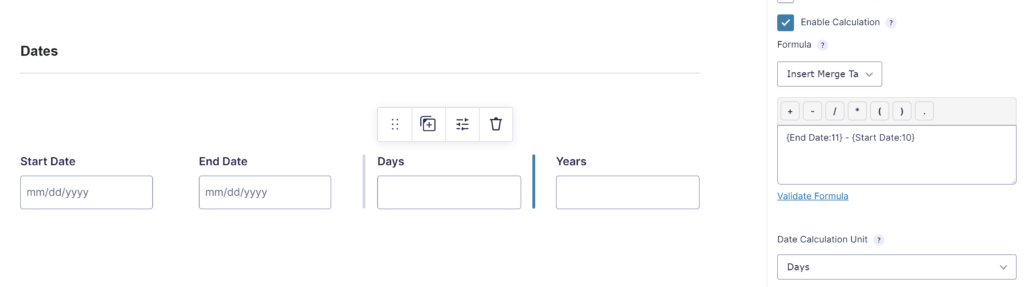
With the same approach you can calculate the difference in between Gravity Forms Date Fields:
Rounding minutes, hours, days, months, years
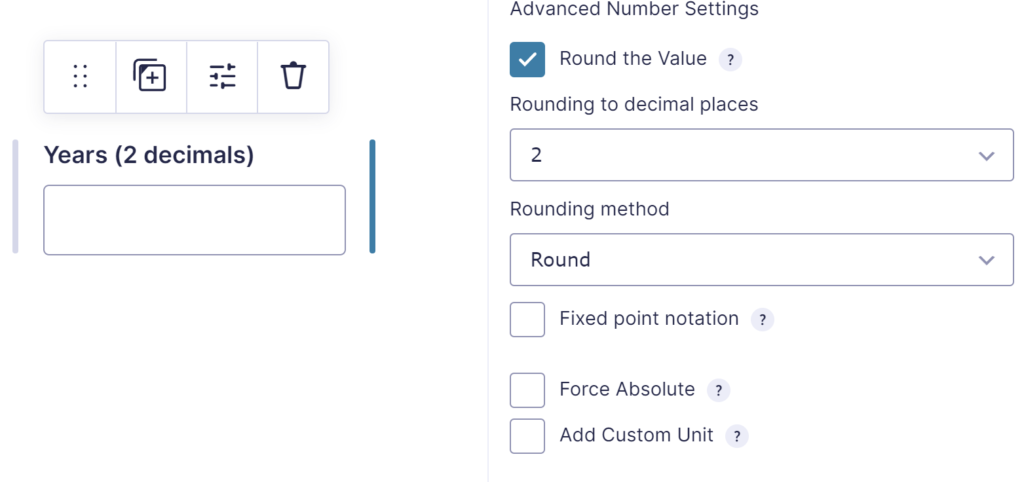
With the Advanced Number Field Add-on you can easily round the calculation result.
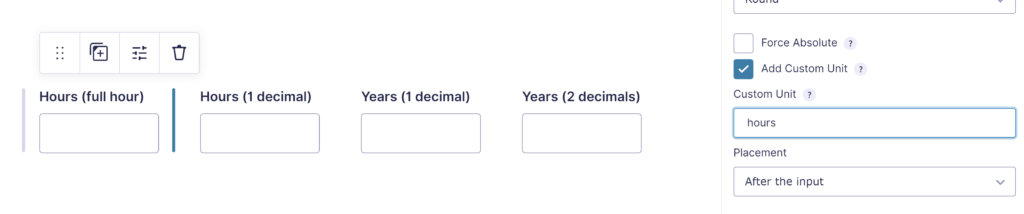
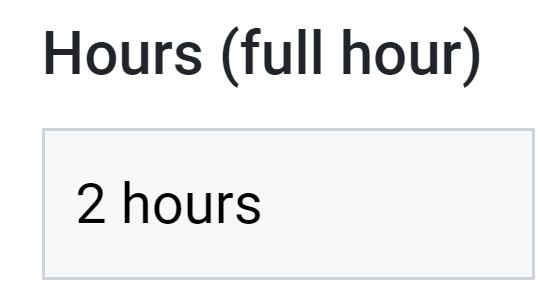
You can also add a Custom Unit to the calculation Number Field (like hours, days):
Which will result in:
Our Premium add-ons for Gravity Forms
List Text
Add features like textarea, placeholder and custom validation to a column or multiple columns in a Gravity Forms List Field.

Entry to Database
Integrates Gravity Forms with internal or external databases, offering flexible mapping of form fields to database columns and real-time synchronization between entries and database rows.

n8n Connector
Connect Gravity Forms to n8n and automate your workflows with secure, flexible, and powerful webhooks. Go beyond simple notifications and build advanced, two-way automations.

Advanced Number Field
Functionality for Number Fields, like rounding or only absolute numbers, fixed point notation, range calculation, custom units like % or m2 & show as slider.
Read tutorials about

Gravity Forms Airtable Integration: Create Records From Form Submissions
Learn how to build a Gravity Forms Airtable integration with GravityWP API Connector. Send form submissions to Airtable, create new records automatically, and save the returned Airtable Record ID and response back to Gravity Forms.

Gravity Forms Asana Integration: Create Tasks From Form Submissions
Learn how to connect Gravity Forms to Asana with GravityWP API Connector. This tested workflow creates Asana tasks from form submissions and saves the returned task ID and URL back to Gravity Forms.

Gravity Forms Google Calendar Integration: Create Events From Form Submissions
Connect Gravity Forms to Google Calendar with GravityWP API Connector. Learn how to create calendar events from form submissions, map event details, configure OAuth 2.0, handle time zones, and save the returned Event ID and URL.

Gravity Forms Notion Integration: Create Database Pages Without Zapier
Connect Gravity Forms to Notion without Zapier. This tested tutorial shows how to create Notion database pages from form submissions and save the returned page ID, URL, creation time, and API response.

