Do you want to generate PDF’s automatically filled with data from Gravity Forms entries? And do you want to show this as a download link on the front end of your WordPress website? With the combination GravityView and Gravity PDF it’s easy.
How to add the download PDF to Gravity Views?
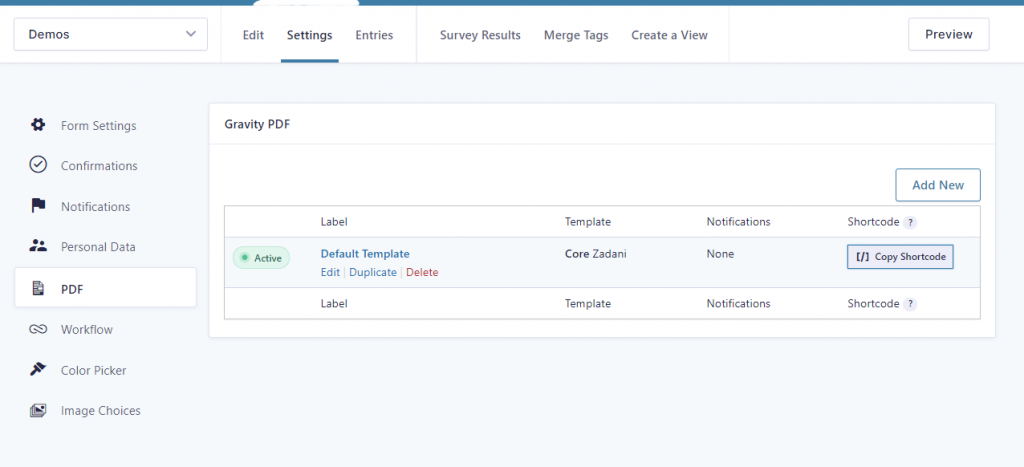
First locate the Gravity PDF shortcode. Go to Form > Settings > PDF and copy the shortcode. It should look something like this:
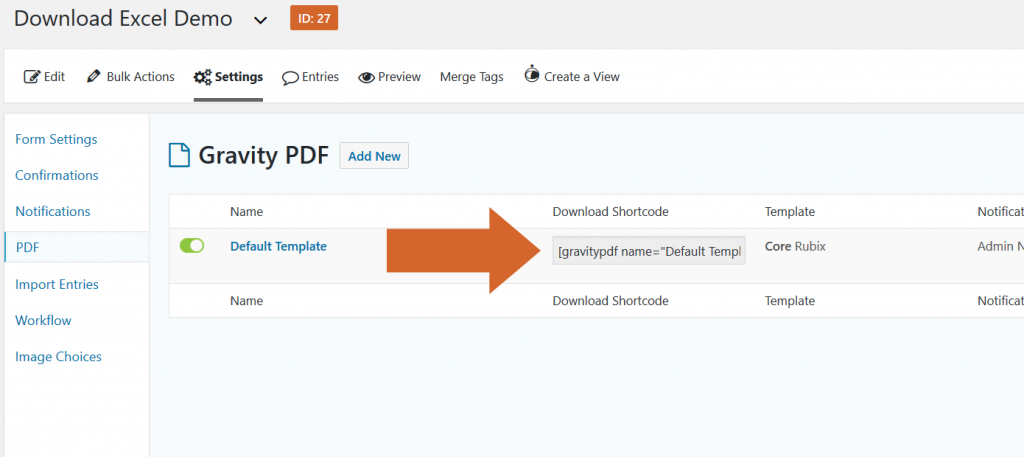
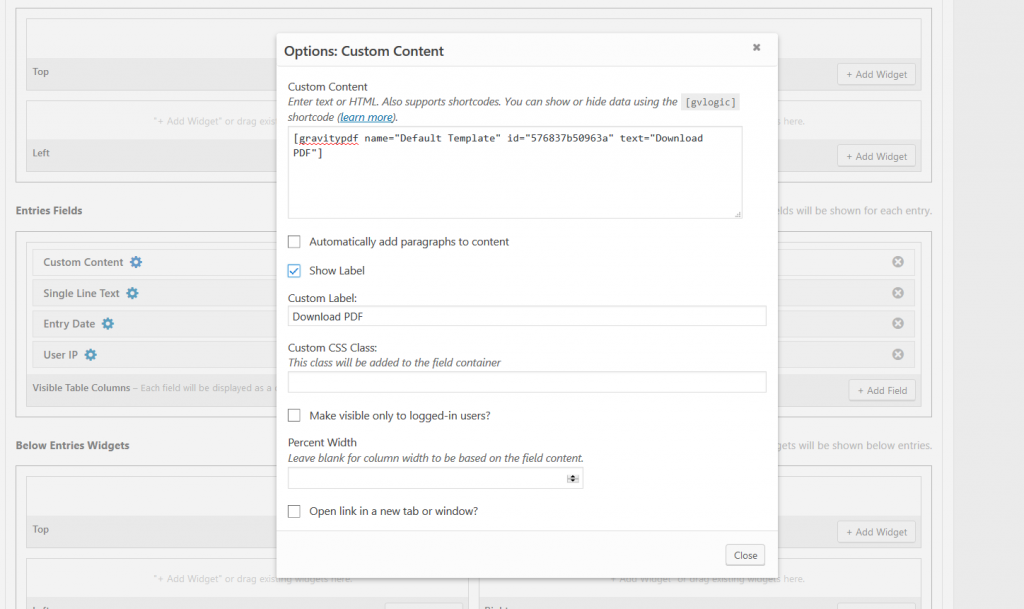
[gravitypdf name="Default Template" id="576837b50963a" text="Download PDF"]You can paste this shortcode in a custom field in Gravity View and it will generate automatically a download link to the PDF file.
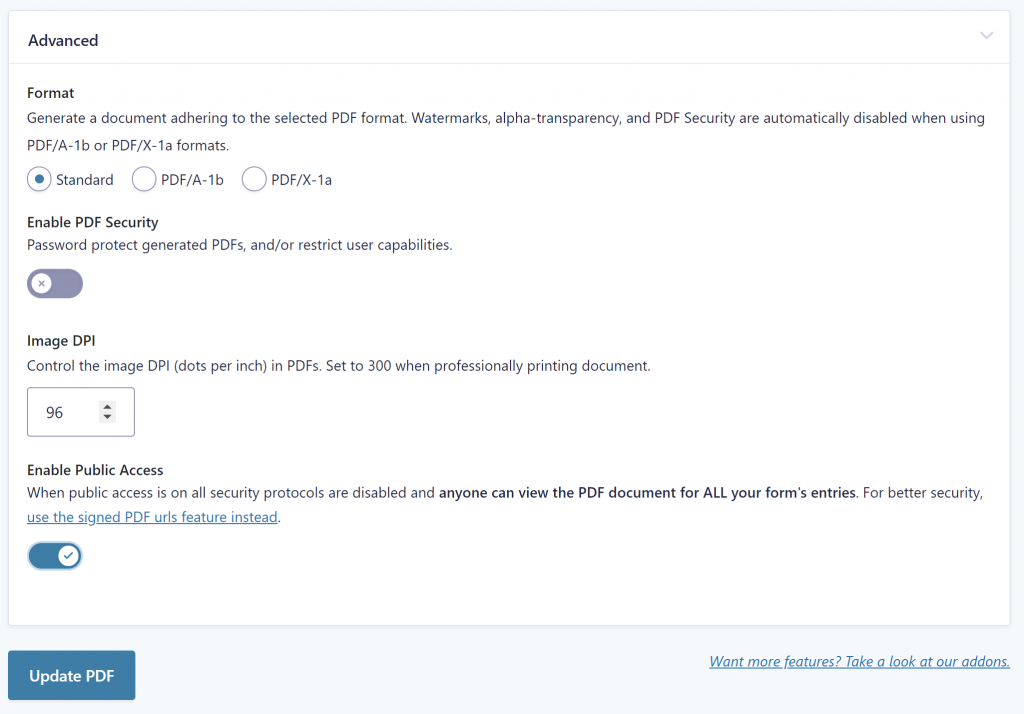
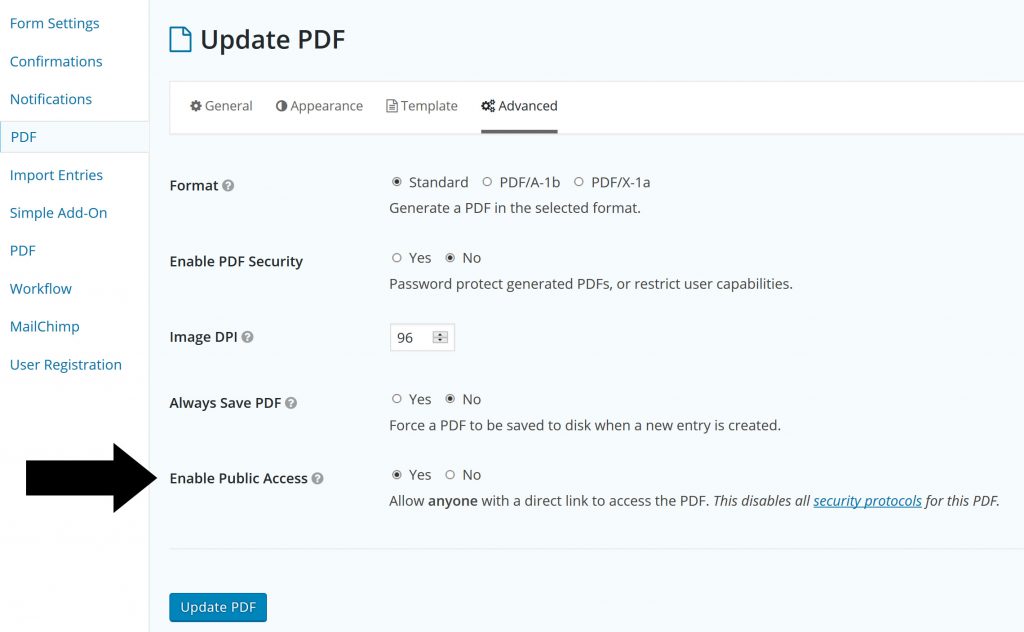
Enable Public Access
If you want visitors of your site to be able to download the PDF without having to login, just click under ‘Advanced’ on ‘Enable Public Access’. Be aware if there is personal information in the PDF, because anyone will be able to access it.
Our Premium add-ons for Gravity Forms

n8n Connector
Connect Gravity Forms to n8n and automate your workflows with secure, flexible, and powerful webhooks. Go beyond simple notifications and build advanced, two-way automations.

DateTime Field
The GravityWP - DateTime Field add-on adds a dedicated Date/Time field to Gravity Forms so users can enter both a date and a time in a single input.

Advanced Number Field
Functionality for Number Fields, like rounding or only absolute numbers, fixed point notation, range calculation, custom units like % or m2 & show as slider.

JWT Prefill
Fill forms with data you can trust. Prefill Gravity Forms fields with a secure token instead of links with editable url parameters, so your data is accurate, tamper-proof, and ready to use.
Read tutorials about

Gravity Forms Airtable Integration: Create Records From Form Submissions
Learn how to build a Gravity Forms Airtable integration with GravityWP API Connector. Send form submissions to Airtable, create new records automatically, and save the returned Airtable Record ID and response back to Gravity Forms.

Gravity Forms Asana Integration: Create Tasks From Form Submissions
Learn how to connect Gravity Forms to Asana with GravityWP API Connector. This tested workflow creates Asana tasks from form submissions and saves the returned task ID and URL back to Gravity Forms.

Gravity Forms Google Calendar Integration: Create Events From Form Submissions
Connect Gravity Forms to Google Calendar with GravityWP API Connector. Learn how to create calendar events from form submissions, map event details, configure OAuth 2.0, handle time zones, and save the returned Event ID and URL.

Gravity Forms Notion Integration: Create Database Pages Without Zapier
Connect Gravity Forms to Notion without Zapier. This tested tutorial shows how to create Notion database pages from form submissions and save the returned page ID, URL, creation time, and API response.
