GFCharts by Mensard is the best chart / calculation add-on for Gravity Forms out there. Do you want to show data from your Gravity Forms as bar chart, a pie chart or even a 3D Pie Chart or a donut chart inside your blog posts and pages? This is the way to do it. Easily chart and count information captured via Gravity Forms with the plugin GFChart. This plugin is an extension to WordPress Gravity Forms. It empowers you to showcase a visual snapshot summary of form submissions – automatically.
About Mensard
| Developer | Mensard |
| Started | 2014 |
| Documentation | gfchart.com/faqs |
| Listed | gravityforms.com/developers/gfchart |
| Languages | English |
| Main plugin | GF Chart |
| Extensions | GFChart GravityView extension, Charting vs time |
Examples GFChart
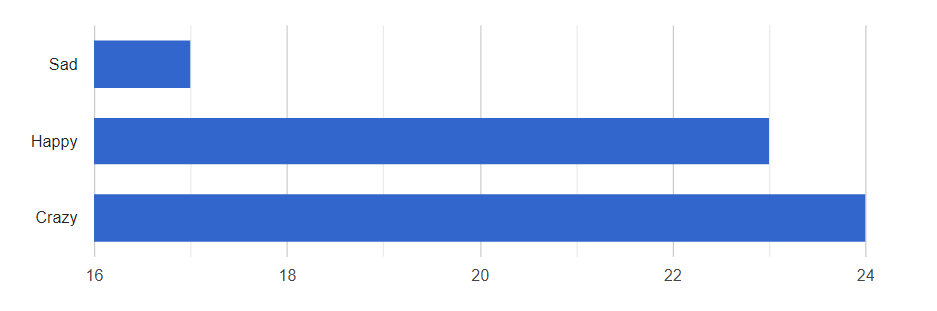
Bar Chart
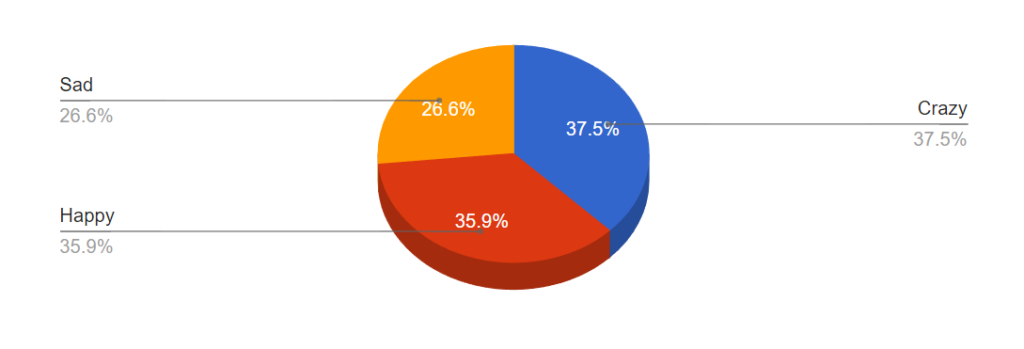
3D Pie Chart
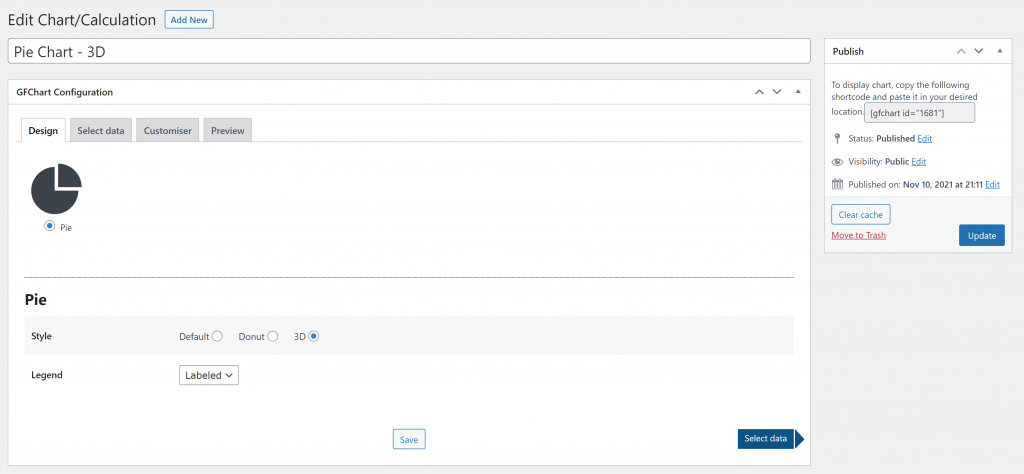
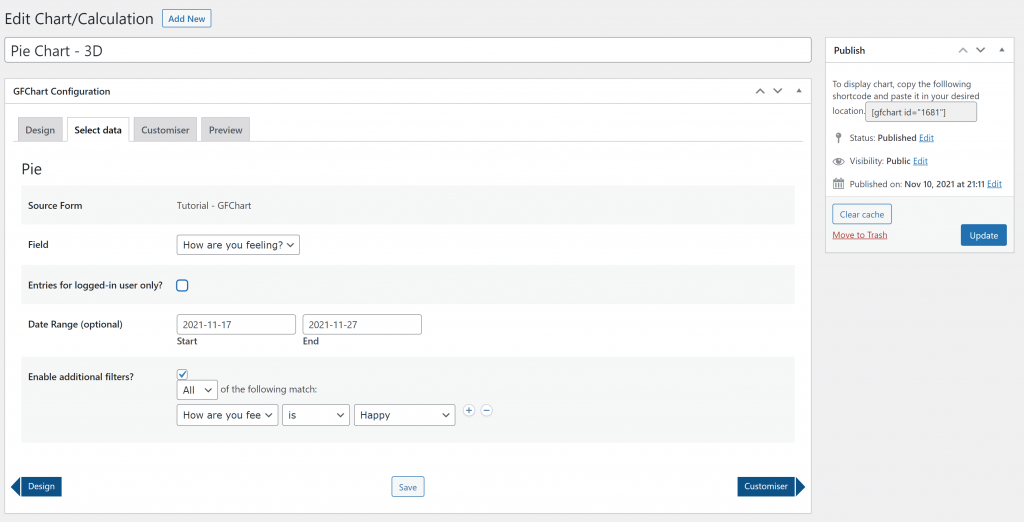
User Interface
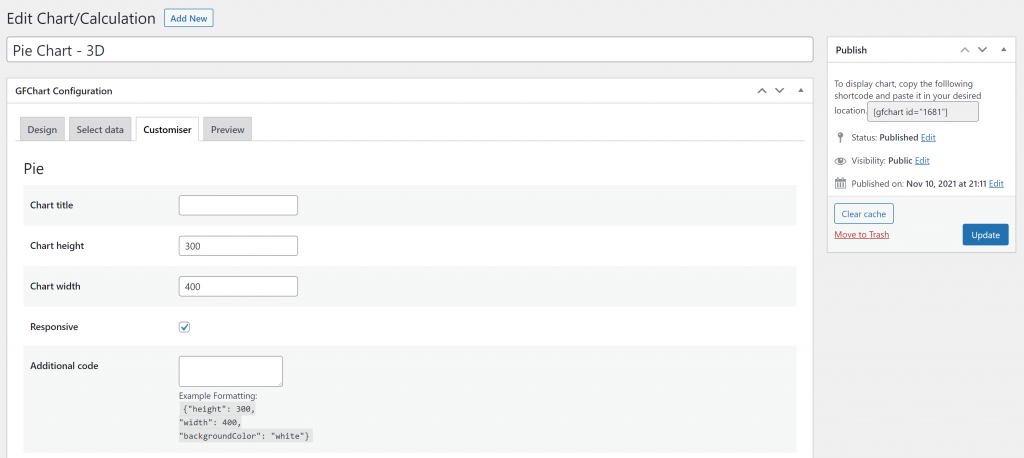
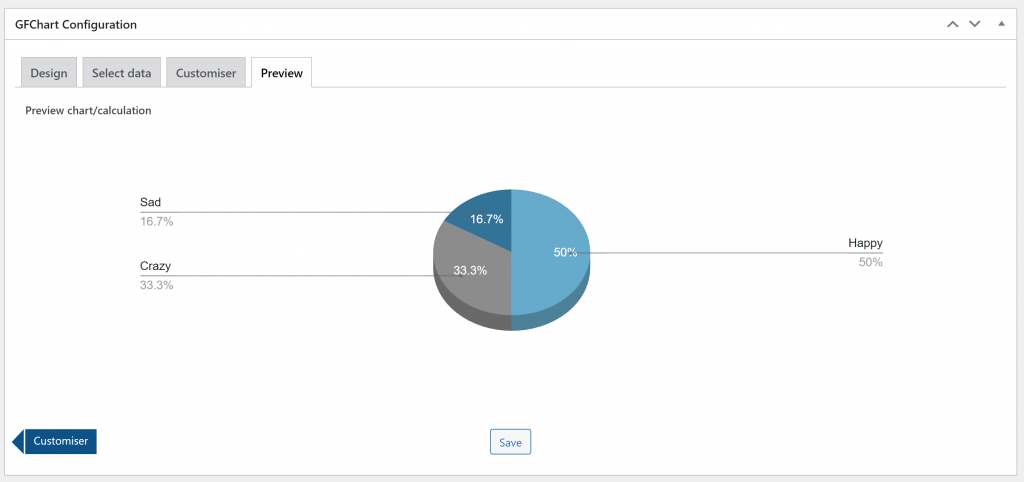
Tutorials GFChart
[gravitywp_custom_post_cards post_type=’tutorial’ numberposts=100 terms=41 col=6 ]
Our Premium add-ons for Gravity Forms

n8n Connector
Connect Gravity Forms to n8n and automate your workflows with secure, flexible, and powerful webhooks. Go beyond simple notifications and build advanced, two-way automations.

Advanced Number Field
Functionality for Number Fields, like rounding or only absolute numbers, fixed point notation, range calculation, custom units like % or m2 & show as slider.

Field to Entries
Create entries based on Checkboxes & Multi Select choices & List Field rows.
List Dropdown
Add a Dropdown Select with choices to a column or multiple columns in a Gravity Forms List Field.
Read tutorials about

How to Validate Repeatable Contact Rows in Gravity Forms
Learn how to validate repeatable Gravity Forms List field rows with GravityWP List Text. This tutorial shows how to add email and regex validation, test invalid values, and confirm that valid team roster data is stored correctly.

Gravity Forms Airtable Integration: Create Records From Form Submissions
Learn how to build a Gravity Forms Airtable integration with GravityWP API Connector. Send form submissions to Airtable, create new records automatically, and save the returned Airtable Record ID and response back to Gravity Forms.

Gravity Forms Asana Integration: Create Tasks From Form Submissions
Learn how to connect Gravity Forms to Asana with GravityWP API Connector. This tested workflow creates Asana tasks from form submissions and saves the returned task ID and URL back to Gravity Forms.

Gravity Forms Google Calendar Integration: Create Events From Form Submissions
Connect Gravity Forms to Google Calendar with GravityWP API Connector. Learn how to create calendar events from form submissions, map event details, configure OAuth 2.0, handle time zones, and save the returned Event ID and URL.


Author: Erik van Beek
Published: 25-02-2018
Last update: 05-03-2026