The n8n vs Zapier for Gravity Forms debate usually starts when email notifications stop being enough. If you use Gravity Forms to collect leads, orders, bookings, or support requests, you eventually want each submission to do more.
Maybe you want to send an entry to Salesforce. Maybe you want to enrich the data with an API. You may want to route the request to the right team, generate an AI summary, create a task, and update the original entry with the result. That is where workflow automation becomes important. Gravity Forms can already connect to tools like Zapier through its official Zapier Add-On. It can also send remote HTTP requests through the official Webhooks Add-On. On top of that, GravityWP offers an n8n Connector built to connect Gravity Forms to n8n through secure webhooks and response mapping.
That leaves many teams with one practical question: should you use Zapier or n8n for Gravity Forms automation in 2026? The answer depends on the workflows you want to build, how much control you need, how technical your team is, and how pricing scales as your submissions grow. Zapier presents itself as an AI orchestration platform with workflows, agents, forms, tables, and 8,000+ integrations. n8n presents itself as a fair-code licensed workflow automation tool with AI capabilities, plus cloud and self-hosted options.
This guide is for Gravity Forms users, not general automation shoppers. It compares cost, flexibility, self-hosting, ease of use, AI direction, and real use cases. By the end, you should know which platform fits better and where GravityWP fits into the picture.
Why Gravity Forms users compare n8n and Zapier more often

A few years ago, many Gravity Forms sites only needed simple automations. A form came in, a lead went to a CRM, a row was added to a spreadsheet, and that was enough.
Now the average workflow is heavier. Teams want conditional routing, custom API calls, AI enrichment, stronger data control, and more visibility into how the workflow runs. Zapier has grown far beyond basic app-to-app automations by combining Zaps, Tables, Forms, and AI features in one platform. n8n has also grown quickly. It now offers stronger AI features, a self-hosted AI starter kit, and a workflow model built around flexible logic and execution control.
For Gravity Forms users, that shift matters. Gravity Forms already supports both the easy connector path and the more custom webhook path. That is why the choice between these two platforms matters more now. One path is usually faster to launch. The other often gives you more room to grow.
n8n vs Zapier for Gravity Forms: what each platform does
What is Zapier?
Zapier is a workflow automation platform that now brands itself as an AI orchestration platform. On its official site, Zapier says it helps teams build and scale AI workflows, agents, and apps across 8,000+ integrations. Its pricing page also shows that Zaps, Tables, Forms, and Zapier MCP now sit inside one plan structure.
For Gravity Forms users, the appeal is obvious. Gravity Forms has an official Zapier Add-On, and the official docs show that most of the setup happens inside Zapier’s dashboard. If your goal is to connect a form to a common SaaS tool and move quickly, that is a real advantage.
What is n8n?
n8n is a workflow automation platform that combines business process automation with AI capabilities. The docs describe it as a fair-code licensed tool. n8n also offers cloud plans and self-hosted options. Its hosting docs make it clear that self-hosting exists for both Enterprise and Community editions. Its “Choose n8n” docs also say there is a free self-hosted community edition for self-hosted users.
The big appeal of n8n is not just automation. It is control. The platform gives you more say in how the workflow is designed and where it runs. Its webhook documentation also explains that an n8n Webhook node can receive data, trigger a workflow, and return data at the end. That is especially useful for Gravity Forms sites that want more than one-way notifications.
The simple difference between Zapier and n8n
In plain English, Zapier is usually the easier path when you want to connect popular apps quickly. n8n is usually the better fit when the workflow becomes more custom, more API-heavy, more logic-heavy, or more sensitive to where the data runs.
Part of that difference comes from product design. Part comes from hosting. Zapier emphasizes ease, templates, and a fully managed platform. n8n gives you cloud and self-hosted paths, but its docs also warn that self-hosting requires technical knowledge in servers, containers, scaling, and security.
n8n vs Zapier for Gravity Forms: how the connection works
If you are using Gravity Forms, Zapier has the cleaner official path out of the box. Gravity Forms’ Zapier Add-On lets you use your forms as both Zapier triggers and actions. The documentation explains that you create a REST API connection, connect Gravity Forms inside Zapier, and then build the Zap on the Zapier side. Gravity Forms also notes that Zapier is a paid service and that pricing is based on volume and usage.
n8n can also work very well with Gravity Forms, but the route is different. Gravity Forms’ Webhooks Add-On lets you make remote HTTP requests to external services when a form is submitted. That is the general webhook route. GravityWP’s n8n Connector takes that much further for Gravity Forms users. According to the product page, it lets you send form data through secure webhooks, use JWT for authentication, and map the n8n response back into the original entry. It also says all requests are server-side, so secret keys stay secure.
| Feature | n8n | Zapier |
|---|---|---|
| Ease of Use | Technical | Beginner-Friendly |
| Flexibility | Custom APIs, Advanced Workflows | Pre-Built Integrations & Templates |
| Pricing Model | Open-Source & Cloud Plans | Monthly Subscription Plans |
| Self-Hosting | Community Edition | Managed SaaS |
| AI Capabilities | Extensive, Customizable AI Agents & Nodes | AI-Powered Actions |
| Best For | Custom, Advanced Automation | Quick, Plug-and-Play Automation |
| Gravity Forms | n8n Connector (by GravityWP) | Official Zapier Add-On |
n8n vs Zapier pricing for Gravity Forms automation
Pricing is where many teams first feel the difference between the two platforms.
| Tool | Plan | Price (USD, annual billing) | Usage model | Key detail |
|---|---|---|---|---|
| Zapier | Free | $0/mo | Tasks | Includes 100 tasks/month, unlimited Zaps, Tables, and Forms, plus two-step Zaps |
| Zapier | Professional | $19.99/mo | Tasks | Multi-step Zaps, unlimited Premium apps, and webhooks |
| Zapier | Team | $69/mo | Tasks | 25 users, shared Zaps and folders, shared app connections, and SAML SSO |
| Zapier | Enterprise | Custom pricing | Tasks | Unlimited users, advanced admin permissions, app controls, and advanced deployment options |
| n8n | Starter | ~$23/mo | Workflow executions | Includes 2.5K workflow executions with unlimited steps, 1 shared project, and 5 concurrent executions |
| n8n | Pro | ~$58/mo | Workflow executions | Custom number of workflow executions, 3 shared projects, and 20 concurrent executions |
| n8n | Business | ~$773/mo | Workflow executions | Includes 40K workflow executions with unlimited steps, SSO/SAML/LDAP, and scaling options |
| n8n | Enterprise | Custom pricing | Workflow executions | Custom number of workflow executions, unlimited shared projects, 200+ concurrent executions, and 365 days of insights |
Plans at a glance
Zapier currently offers Free, Professional, Team, and Enterprise plans. The Free plan includes 100 tasks per month. The Professional plan starts at £22.94/month when billed monthly or £15.29/month when billed annually. The Team plan starts at £79.15/month when billed monthly or £52.77/month when billed annually. Enterprise uses custom pricing.
n8n currently offers Starter, Pro, Business, and Enterprise plans. The Starter plan is listed at $24/month billed monthly or $20/month billed annually. It includes 2.5K workflow executions with unlimited steps. The Pro plan starts at $60/month billed monthly or $50/month billed annually, with a custom number of workflow executions. The Business plan is listed at $960/month billed monthly or $800/month billed annually, and includes 40K workflow executions. Enterprise also uses custom pricing.
Why the billing model matters
The biggest difference is not just price. It is how each platform measures usage.
Zapier uses tasks. n8n uses workflow executions. n8n’s pricing page also emphasizes unlimited steps within those executions.
That changes the math. In Zapier, one Gravity Forms submission can trigger a multi-step workflow that uses several tasks. In n8n, a workflow can include multiple steps while still being counted through its execution-based model. That does not automatically make n8n cheaper in every case. Setup, support, hosting, maintenance, and workflow design still shape the real cost. Still, teams with heavier multi-step automations should look beyond the starting price and pay attention to how usage is billed over time.
For smaller teams that want a familiar interface and quick setup, Zapier can still make sense. For businesses building more advanced Gravity Forms automations across several steps, APIs, apps, or databases, n8n often becomes more attractive as workflow volume grows.
Note: The pricing pages use different currencies, so the most useful comparison is the pricing model, usage limits, and how automation is measured at scale.
n8n vs Zapier for Gravity Forms: flexibility and control
The most important difference between Zapier and n8n is not just pricing. It is control.
Zapier is very strong when you want a fast, pre-built integration path. Its pricing page highlights multi-step Zaps, conditional paths, formatting, trigger scheduling, webhooks, Forms, and Tables. For many teams, that is already enough. If the workflow is common, the interface is friendly, and the app connection exists, Zapier can get real work done quickly.
n8n becomes more attractive when the workflow stops following the common path. Its docs highlight custom API calls through the HTTP Request node when existing nodes do not cover all operations. Its webhook docs show that a workflow can receive data and return data. With It’ s AI materials also show a platform built for flexible workflows that mix integrations, AI components, and logic.
That matters for Gravity Forms because a web form is often only the first step. A submission may need to validate a field against a custom API, enrich the record, send data to Salesforce, run AI classification, and then write data back somewhere else. That is where complex workflows begin. It is also where GravityWP’s n8n Connector becomes especially useful. The product page does not just talk about sending data out. It also talks about two-way data mapping, flexible response handling, JWT authentication, Gravity Flow support, and mapping JSON responses back into the original entry.
So if your automation needs are basic, Zapier is usually the better fit. If your workflow is becoming more custom, more technical, or more central to the business, n8n often becomes the better fit.
n8n vs Zapier for Gravity Forms: ease of use for non-technical users
This is one area where it helps to be honest.
Zapier is usually the easier starting point for non-technical users. That is an inference, but it is grounded. Zapier is fully packaged. It emphasizes templates, natural-language AI workflow building, no-code forms, and one plan structure that includes workflows, forms, tables, and AI tools. Gravity Forms’ own Zapier docs also show a familiar SaaS setup flow where most of the work happens inside Zapier’s dashboard.
n8n can absolutely be used by non-developers, but it becomes more demanding when you lean into its deeper strengths. If you decide to self-host n8n, the official hosting docs clearly say that self-hosting requires technical knowledge in server setup, containers, scaling, security, and configuration. n8n even recommends n8n Cloud if you are not experienced at managing servers.
For non-technical users, the better question is not which platform is easier. The better question is what kind of difficulty you want. Zapier is usually easier to start. n8n often becomes more rewarding later if your workflows are advanced enough to justify the extra complexity.
Self-hosting, control, and security
Self-hosting is one of the biggest reasons people look for a Zapier alternative like n8n.
n8n offers both cloud and self-hosted options. Its hosting docs cover Community and Enterprise self-hosted editions, and its “Choose n8n” docs confirm that the self-hosted community edition is free. The docs also explain the trade-off clearly. Self-hosting gives you more control, but it also gives you more responsibility. You need to think about infrastructure, security, updates, scaling, and backups. n8n’s update documentation also recommends frequent updates and testing before rolling changes into production.
Zapier does not ask you to manage infrastructure. That is part of its value. For many teams, not running servers is a benefit, not a limitation. The trade-off is simple: you are choosing a managed automation platform instead of running your own automation engine.
For Gravity Forms users, this difference becomes practical. If your team cares about data control, server-side requests, or where authentication secrets live, the n8n route becomes more attractive. GravityWP’s n8n Connector leans into that advantage by stating that requests are server-side and secret keys stay secure. That does not mean Zapier is insecure. It means the design model is different.
AI workflows in 2026
AI is now part of both products, so it belongs in the comparison.
Zapier presents itself as an AI orchestration platform. Its official AI page says you can add AI as a step in a workflow, an autonomous agent, or a chatbot. It also highlights support for top AI models like ChatGPT and Claude inside workflows. Its pricing page folds AI-related platform elements into the same plan structure.
n8n also leans hard into AI. Its docs include a full advanced AI section, a self-hosted AI starter kit, and AI workflow tutorials. The AI starter kit says it combines self-hosted n8n with compatible AI products to help you start building self-hosted AI workflows. The docs also describe n8n as a low-code platform with 400+ integrations and advanced AI components.
For Gravity Forms users, the real question is simple: what happens after a form submission? If you want to summarize a lead, extract structured data, score a request, route it by urgency, or send it to a CRM with AI-enriched fields, both platforms can help. Zapier is often easier for lighter AI automation. n8n is often stronger when you want AI inside a broader, more custom process with tighter control over the logic.
| Comparison point | Choose Zapier if… | Choose n8n if… |
|---|---|---|
| Setup | You want a faster setup | You want more workflow control |
| Ease of use | You prefer a beginner-friendly interface | You are comfortable with a more advanced setup |
| Workflow style | You mainly connect SaaS tools | You work with custom APIs or databases |
| Hosting | You want a fully managed platform | You want self-hosting options |
| Scalability | You want the easiest path to launch | You expect more complex automation over time |
| Pricing model | You prefer a task-based platform | You prefer an execution-based workflow model |
When to choose Zapier
Choose Zapier if you want fast results, your workflow lives mostly inside common SaaS tools, and your team values simplicity over deep customization.
It is a good fit when:
- you want a beginner-friendly automation tool
- you need pre-built integrations quickly
- you want multi-step workflows without managing infrastructure
- your team is less technical
- your Gravity Forms workflow is useful, but not deeply custom
That is not a weak use case. For many companies, it is the right one. Gravity Forms’ official Zapier Add-On exists for a reason.
When to choose n8n
Choose n8n if you want more control, more custom logic, or more ownership over the automation platform itself.
It is a better fit when:
- your workflows are getting more complex
- you need more API calls or custom API behavior
- you want self-hosted n8n, or at least the option to self-host
- you care about where workflow execution happens
- you want to build heavier AI workflows with more control
- you are running enough volume that the pricing model matters
n8n’s own docs and pricing pages support that direction. The platform is built for workflow execution flexibility, cloud or self-hosted deployment, API-heavy work, and deeper automation design.
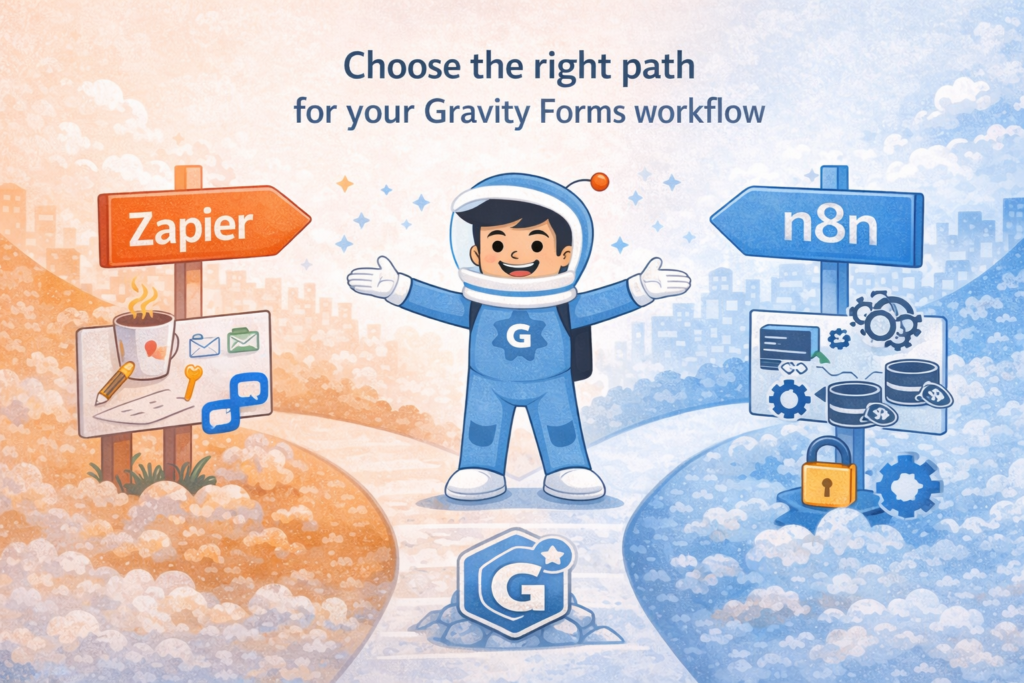
Final verdict: n8n vs Zapier for Gravity Forms in 2026
For most beginners, Zapier is still the easier place to start.
For more advanced n8n vs Zapier for Gravity Forms decisions, n8n is the stronger long-term fit.
That is the simplest honest answer.
Zapier wins on speed, convenience, and beginner-friendly workflow automation. n8n wins on flexibility, control, self-hosting, and room to build more complex workflows without staying locked inside a purely task-based model. For Gravity Forms users who want to move from simple automation to serious workflow design, n8n often becomes the better fit over time. If you want to make that move in a cleaner way, GravityWP’s n8n Connector is one of the most natural next steps because it is built for that bridge between Gravity Forms and n8n.
The best choice depends on your automation needs, pricing model, team skill level, and the amount of control you want. But if your Gravity Forms workflows are growing in complexity, the real question is no longer whether you need automation. It is whether you need a simple automation tool or a workflow platform that can grow with you.
If the answer is the second one, n8n is probably the better fit.
Our Premium add-ons for Gravity Forms

List Number Format
With this Gravity Forms Add-on you can change List Field columns into a number field, do calculations within a row or column. Extra merge tags are available with total counts of columns.

Update Multiple Entries
Trigger the update of multiple entries in a target form by submitting an entry in a trigger form.
Advanced Number Field
Functionality for Number Fields, like rounding or only absolute numbers, fixed point notation, range calculation, custom units like % or m2 & show as slider.

Entry to Database
Integrates Gravity Forms with internal or external databases, offering flexible mapping of form fields to database columns and real-time synchronization between entries and database rows.
Read tutorials about

How to Create a Public Submission Business Directory in WordPress (Gravity Forms + GravityView)
Build a moderated business directory where users submit listings through a form, admins approve entries, and approved businesses appear in a searchable GravityView directory.

How to Create an Event Workshop Registration + Waitlist System in WordPress
This guide shows how to set up a workshop registration + waitlist system in WordPress: register attendees until capacity is reached, waitlist the rest, approve entries, and auto-promote people when a seat opens using Gravity Forms, Gravity Flow, and GravityView.

Gravity Flow Form Submission Step Tutorial
The Gravity Flow Form Submission step pauses a workflow until another form is submitted, then continues once the handoff is complete. This guide shows how to connect two forms, prefill fields with mapping, send the correct secure link, and troubleshoot the most common “workflow didn’t move” issues.

Gravity Flow Delete an Entry Step Tutorial
The Gravity Flow Delete Entry step lets you trash or permanently remove Gravity Forms entries as part of a workflow. This guide covers the key settings, scheduling options (delay or date-based), and safe testing tips so you can follow retention and privacy rules with confidence.