You want visitors or users to rank different answers (set them in a specific order)? The survey Add-On for Gravity Forms makes that possible. You can give different options and ask your visitor to rank them a certain way, for example the best highest and the worst lowest.
Survey Add-on
The Star Rating field is available after you install the Survey Add-on from Rocketgenius.
How to add the Ranking Gravity Forms survey field?
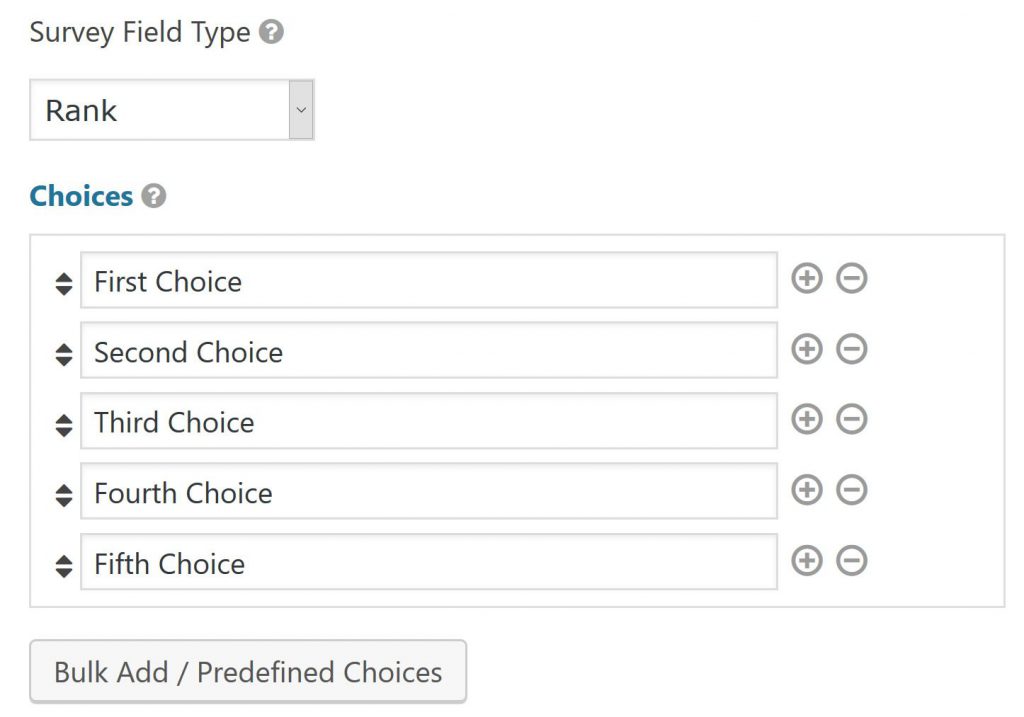
You can easily add a Gravity Forms ‘Survey’ Field to your form, once you installed the plugin. After selecting it, make a choice for Survery Field Type: ‘Rank’. You can order it the way you want. Just try and see how it works.
Adding pictures (images) to Ranking Question in Gravity Forms
This works the same as inserting images in Radio Buttons and Checkboxes.
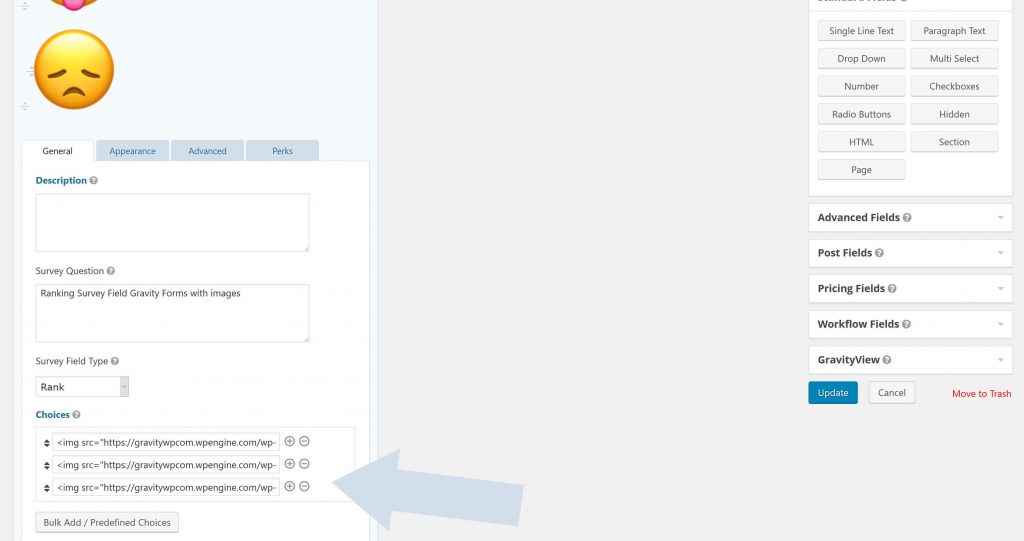
<img src="happy.png" alt="Happy"></img>
<img src="crazy.png" alt="Crazy"></img>
<img src="sad.png" alt="Not happy"></img>
Our Premium add-ons for Gravity Forms

DateTime Field
The GravityWP - DateTime Field add-on adds a dedicated Date/Time field to Gravity Forms so users can enter both a date and a time in a single input.

Entry to Database
Integrates Gravity Forms with internal or external databases, offering flexible mapping of form fields to database columns and real-time synchronization between entries and database rows.

Field to Entries
Create entries based on Checkboxes & Multi Select choices & List Field rows.
List Text
Add features like textarea, placeholder and custom validation to a column or multiple columns in a Gravity Forms List Field.
Read tutorials about

Gravity Forms Airtable Integration: Create Records From Form Submissions
Learn how to build a Gravity Forms Airtable integration with GravityWP API Connector. Send form submissions to Airtable, create new records automatically, and save the returned Airtable Record ID and response back to Gravity Forms.

Gravity Forms Asana Integration: Create Tasks From Form Submissions
Learn how to connect Gravity Forms to Asana with GravityWP API Connector. This tested workflow creates Asana tasks from form submissions and saves the returned task ID and URL back to Gravity Forms.

Gravity Forms Google Calendar Integration: Create Events From Form Submissions
Connect Gravity Forms to Google Calendar with GravityWP API Connector. Learn how to create calendar events from form submissions, map event details, configure OAuth 2.0, handle time zones, and save the returned Event ID and URL.

Gravity Forms Notion Integration: Create Database Pages Without Zapier
Connect Gravity Forms to Notion without Zapier. This tested tutorial shows how to create Notion database pages from form submissions and save the returned page ID, URL, creation time, and API response.

