Gravity Forms has CSS Ready Classes to style your form fields. Using these classes, you can easily create more advanced layouts for the fields in your forms. Excellent idea, however, the problem is you always need to remember what the exact class name is. Now with this CSS Ready Classes selector, you don’t need to remember. Simply click on a button to launch the pop-up and choose the class you want to add.
Add your custom CSS
You can add your own CSS to the GravityWP – CSS Selector easily in your functions.php file. Just add the following code there. It adds quick buttons and an accordion on top of the modal. That way you can put easily your own CSS in the layout you want.
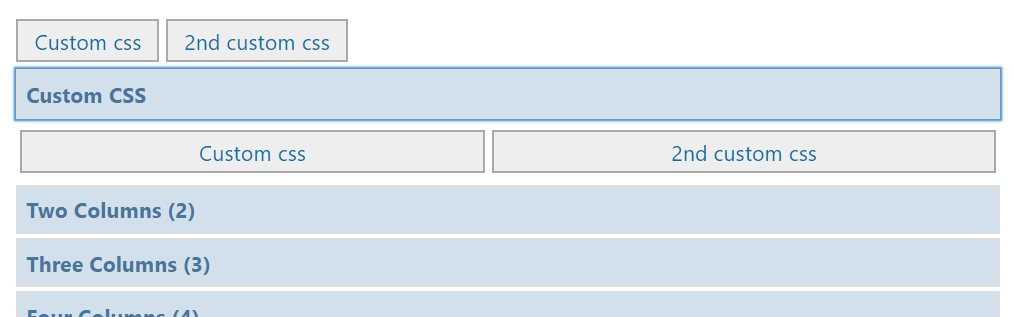
// Add custom css: quick buttons and accordion at the top of the GravityWP - CSS Selector modal
function my_custom_gwp_css_selector_add_css() {
    $html .= "<div class='gwp_quick_links'>
    <a class='gwp_css_link' href='#' rel='css_class' title='Insert css_class'>Custom CSS</a>
    <a class='gwp_css_link' href='#' rel='css_class_2' title='Insert css_class_2'>2nd Custom CSS</a></div>
    <li>
    <a class='gwp_css_acc_link' href='#'>Custom CSS</a>
    <div class='gwp_css_accordian'>
    <a class='gwp_css_link' href='#' rel='css_class_3' title='Insert css_class_3'>3rd Custom CSS</a>
    <a class='gwp_css_link' href='#' rel='css_class_4' title='Insert css_class_4'>4th Custom CSS</a>
    </div>
    </li>";
    return $html;
}
add_filter( 'gwp_css_selector_add_custom_css', 'my_custom_gwp_css_selector_add_css' );
Using the CSS Selector
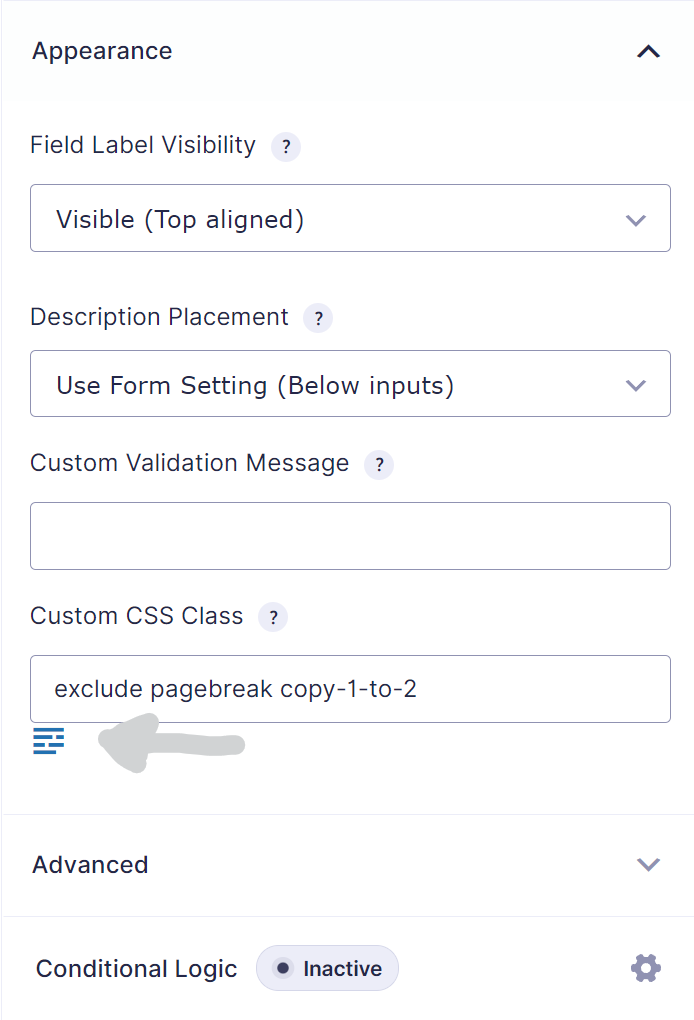
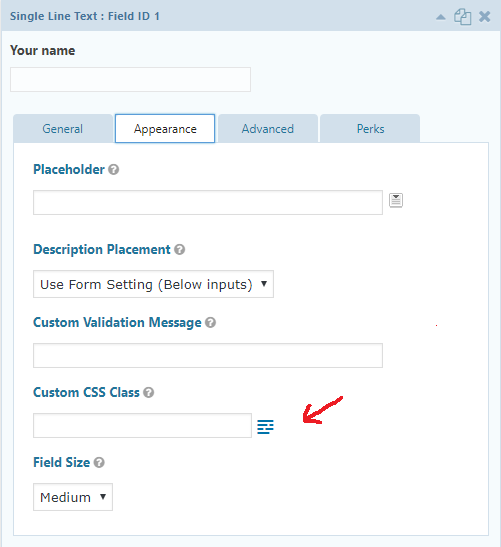
Edit your form in the Form Builder. Then select the field you want to add the CSS Ready classes to. You can add the classes in the input field ‘CSS class name’ under the ‘Appearance’ tab. In the next steps you can find the most commonly used classes. They pretty much speaks for themselves, however a more detailed description is available at the Gravity Forms documentation site. Good to know:
- You can use more than one class for one field.
- You can also add your own classes.
Overview of available CSS Ready classes in Gravity Forms
This paragraph gives an overview of the possible CSS ready classes which can be used in Gravity Forms.
List Classes
- gf_list_2col
- gf_list_3col
- gf_list_4col
- gf_list_5col
- gf_list_inline
- gf_list_height_25
- gf_list_height_50
- gf_list_height_75
- gf_list_height_100
- gf_list_height_125
- gf_list_height_150
Gravity PDF
- exclude
- pagebreak
GP Copy Cat
copy-1-to-2
Other Classes
- gf_scroll_text
- gf_hide_ampm
- gf_hide_charleft
- gf_section_right
- gf_invisible
Deprecated (only 2.4 and earlier)
Halves (2 Columns)
- gf_left_half
- gf_right_half
Thirds (3 Columns)
- gf_left_third
- gf_middle_third
- gf_right_third
Inline (Fluid One Line)
- gf_inline
Quarters (4 columns)
- gf_first_quarter
- gf_second_quarter
- gf_third_quarter
- gf_fourth_quarter
If you’re (old) theme doesn’t support Gravity Forms 4 quarters CSS, you can add this code to your style.css file: WebEndevSnippets.
Our Premium add-ons for Gravity Forms

List Number Format
With this Gravity Forms Add-on you can change List Field columns into a number field, do calculations within a row or column. Extra merge tags are available with total counts of columns.

All Entries
All your new Gravity Forms entries in one central place. Stop navigating between multiple forms to find new entries. Get immediate oversight and full control with a powerful, unified dashboard.

Field to Entries
Create entries based on Checkboxes & Multi Select choices & List Field rows.
List Datepicker
Add a Datepicker with calendar select to a column or multiple columns in a Gravity Forms List Field.
Read tutorials about

How to Validate Repeatable Contact Rows in Gravity Forms
Learn how to validate repeatable Gravity Forms List field rows with GravityWP List Text. This tutorial shows how to add email and regex validation, test invalid values, and confirm that valid team roster data is stored correctly.

Gravity Forms Airtable Integration: Create Records From Form Submissions
Learn how to build a Gravity Forms Airtable integration with GravityWP API Connector. Send form submissions to Airtable, create new records automatically, and save the returned Airtable Record ID and response back to Gravity Forms.

Gravity Forms Asana Integration: Create Tasks From Form Submissions
Learn how to connect Gravity Forms to Asana with GravityWP API Connector. This tested workflow creates Asana tasks from form submissions and saves the returned task ID and URL back to Gravity Forms.

Gravity Forms Google Calendar Integration: Create Events From Form Submissions
Connect Gravity Forms to Google Calendar with GravityWP API Connector. Learn how to create calendar events from form submissions, map event details, configure OAuth 2.0, handle time zones, and save the returned Event ID and URL.