Quick answer: Gravity Forms dynamic population prefills a form field before submission. You can pass the value through a URL query string, shortcode or block Field Values, or PHP. Do not use ordinary query strings for sensitive or trusted values because visitors can edit them.
Prefilling can reduce repeated typing and carry useful context into a form. It can also make one form work across several pages without creating a separate form for every case. For simple workflows, the native prefill methods are usually enough. More advanced workflows may need signed data or an external lookup instead.
What You’ll Learn
- How to enable the feature and set a Parameter Name.
- How to populate a field with a query string.
- How to use Field Values in the Gravity Forms block or shortcode.
- How to dynamically populate a field with PHP.
- Why ordinary URL values should not be treated as trusted data.
- When JWT Prefill or API Connector is a better fit than native population.
Gravity Forms Dynamic Population Explained
Dynamic population fills a field at runtime when the form loads. It is different from a static default value. To use it, enable Allow field to be populated dynamically in the field settings and assign a Parameter Name. Gravity Forms uses that parameter to match an incoming value to the correct field.
Parameter names are case-sensitive. Gravity Forms also recommends avoiding reserved WordPress terms as parameter names. For example, using name can cause a 404 because it is a reserved term. The official dynamic population documentation covers the current parameter rules and limitations.
Which Dynamic Population Method Should You Use?
Use the simplest method that matches the source of the value. Native methods are usually enough when the value is already known before the form loads.
| Method | Best for | How the value arrives | Main limitation |
| Query string | Page, campaign, or link context | URL parameter | Visible and editable by the visitor |
| Block or shortcode Field Values | Known page-level values | Embed setting | Does not perform an external lookup |
| PHP hook | Server-side WordPress logic | PHP filter | Requires code |
| JWT Prefill | Signed values that must be validated | JWT claims | Requires add-on setup |
| API Connector | Current values from an external system | API response | Requires API configuration |
How Do You Enable Dynamic Population in Gravity Forms?
Open the field, go to Advanced, enable the feature, and set a Parameter Name. We tested all three native methods with one Single Line Text field called Event name and the parameter event_name.
- Open the field in the Gravity Forms editor.
- Open the Advanced field settings.
- Enable Allow field to be populated dynamically.
- Enter event_name as the parameter and save the form.
Query String Population
A URL parameter is the fastest way to pre-fill a known value from a link. The key in the URL must match the field parameter.
Tested Query String Example
For the test field, we used this pattern:
| https://example.com/dynamic-population-test/?event_name=WordPress%20Workshop |
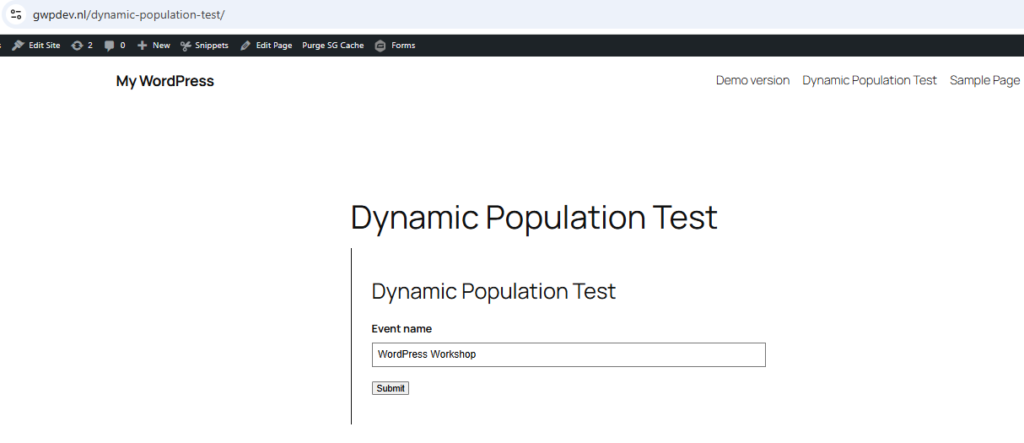
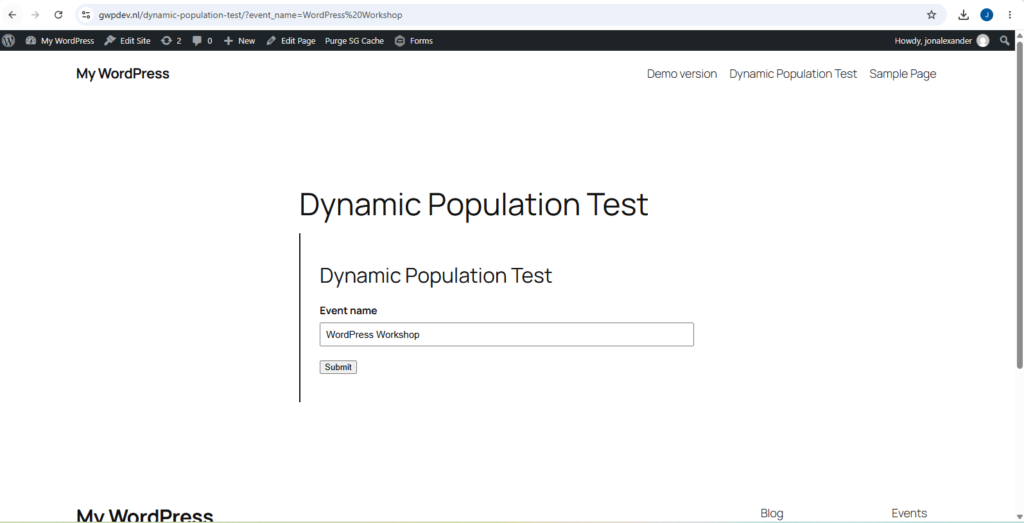
When the page loaded, the Event name field displayed WordPress Workshop. The value came from the event_name query parameter. Spaces in this example are URL-encoded as %20.
Why URL Parameters Should Not Be Trusted
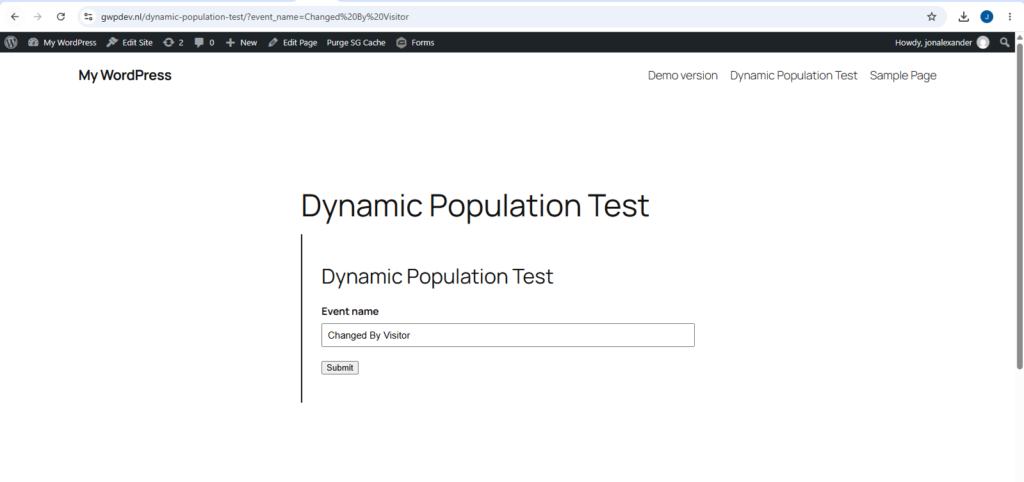
Ordinary URL parameters are visible and editable. In our test, we changed the value in the browser from WordPress Workshop to Changed By Visitor. The form then loaded the edited value.
| ?event_name=Changed%20By%20Visitor |
| Important: Do not place sensitive or trusted data in an ordinary URL parameter. Use URL values for context or convenience, not as proof that a value is authentic. |
Caching can also affect runtime values. The official Gravity Forms documentation notes that cached pages, and some hosts that cache URL parameters, can prevent fresh values from appearing. If this method fails, check caching before changing the form setup.
Shortcode and Gravity Forms Block Prefill Values
The block and shortcode are useful when the page or embed controls the value instead of the browser URL. This keeps the page URL clean and works well when the same form is reused in different page contexts.
Tested Gravity Forms Block Example
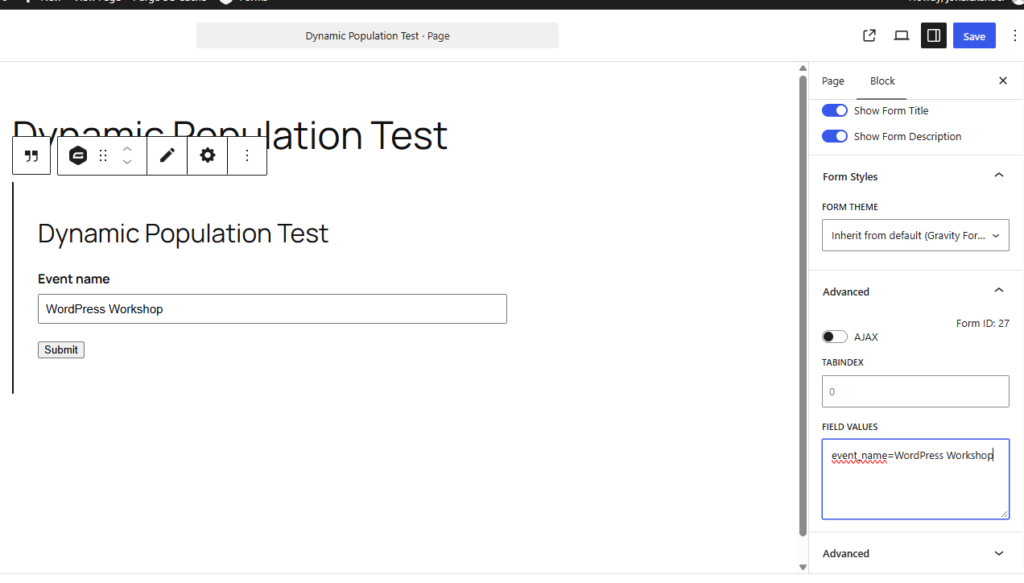
In the Gravity Forms block, open Advanced and enter this in Field Values:
| event_name=WordPress Workshop |
We tested that exact value. The Event name field populated with WordPress Workshop even when the page URL did not contain an event_name query parameter.
Shortcode Example
The shortcode uses the same embed-value concept. Gravity Forms documents the field_values parameter for passing one or more runtime values.
Replace 27 with your own form ID. For the full parameter reference, see the Gravity Forms Shortcode Guide instead of duplicating the full shortcode documentation here.
Server-Side Population with PHP
A PHP hook is the most flexible native option when the value comes from server-side WordPress logic. Gravity Forms provides the parameter-specific gform_field_value_$parameter_name filter for this purpose.
Tested gform_field_value Example
Our test field used the parameter event_name, so the filter name became gform_field_value_event_name:
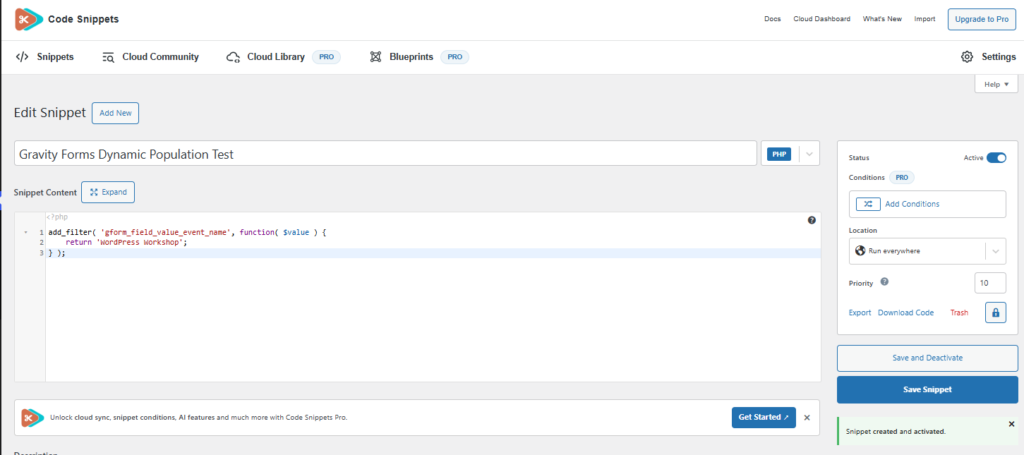
| add_filter( ‘gform_field_value_event_name’, function( $value ) { return ‘WordPress Workshop’; } ); |
We added the snippet with the Code Snippets plugin on the GravityWP staging site. The snippet was active, the block prefill setting was empty, and the page URL had no URL parameter. The field still loaded WordPress Workshop, which confirmed that the value came from the server-side hook.
Native Methods vs Advanced Options
Native prefilling is usually enough when the value is already known at load time. Use URL parameters for editable context, block or shortcode values for page-controlled data, and a server-side hook for WordPress logic. Move to an advanced method only when the workflow needs something the native methods do not provide.
JWT Prefill: When Values Need to Be Trusted
JWT Prefill is designed for signed prefill data. GravityWP documents that JWT claims can populate fields after a valid token is received, and the add-on can validate token data with a private key. That makes it a better fit when a workflow must verify the values instead of trusting an editable URL parameter. See the JWT dynamic population documentation for the claim-based setup.
API Connector: When Values Come From External Systems
API Connector solves a different problem. It can send requests to external APIs and map response data back into Gravity Forms fields. Use it when the form needs current data from a CRM, database, or other API rather than a value that is already known when the page loads. See the API Connector documentation for connection and feed setup.
Common Dynamic Population Mistakes
| Mistake | Why it causes problems | Better approach |
| The field option is not enabled | The form has no dynamic target for the incoming value. | Enable the option and set a Parameter Name. |
| Parameter names do not match | Parameter names are case-sensitive. | Use the exact same parameter in the field and population method. |
| A reserved WordPress term is used | Some reserved terms can conflict with WordPress routing. | Use a unique parameter such as event_name instead of name. |
| A choice value does not match | Drop Down, Radio Button, and Checkbox population depends on matching the expected choice value. | Match the label or stored value required by the field setup. |
| Trusted data is passed in a URL | Visitors can edit ordinary URL values. | Use a signed or server-controlled method when trust matters. |
| The page is cached | Cached output can stop fresh dynamic values from appearing. | Test without caching and review host or cache-plugin rules. |
| Native population is used for an external lookup | Native methods pass or generate values; they do not automatically fetch an external record. | Use an API workflow when the value must come from another system. |
Final Takeaway
Gravity Forms gives you three practical native ways to populate fields dynamically. Use a URL parameter for simple visitor-editable context, block or shortcode values for page-controlled data, and a server-side hook for WordPress logic. If the data must be validated or fetched from another system, move to a signed-token or API-based workflow instead.
The main rule is simple: use the lightest method that handles the source and trust level of the data correctly
Gravity Forms Dynamic Population FAQ
It lets a field receive a runtime value through its configured parameter. After the option is enabled, that parameter becomes the reference used by a URL, shortcode, block setting, or server-side hook.
Set a Parameter Name on the field, then pass that parameter and value through the block or shortcode. For example, event_name=WordPress Workshop populated our Event name field in the block test. Multiple values can be separated with an ampersand, as documented by Gravity Forms.
Use the parameter-specific filter name and return the value you want the field to receive. For a field with the parameter event_name, the filter is gform_field_value_event_name. The field option must also be enabled.
Our Premium add-ons for Gravity Forms

JWT Prefill
Fill forms with data you can trust. Prefill Gravity Forms fields with a secure token instead of links with editable url parameters, so your data is accurate, tamper-proof, and ready to use.

Advanced Number Field
Functionality for Number Fields, like rounding or only absolute numbers, fixed point notation, range calculation, custom units like % or m2 & show as slider.

Update Multiple Entries
Trigger the update of multiple entries in a target form by submitting an entry in a trigger form.

n8n Connector
Connect Gravity Forms to n8n and automate your workflows with secure, flexible, and powerful webhooks. Go beyond simple notifications and build advanced, two-way automations.
Read tutorials about

How to Validate Repeatable Contact Rows in Gravity Forms
Learn how to validate repeatable Gravity Forms List field rows with GravityWP List Text. This tutorial shows how to add email and regex validation, test invalid values, and confirm that valid team roster data is stored correctly.

Gravity Forms Airtable Integration: Create Records From Form Submissions
Learn how to build a Gravity Forms Airtable integration with GravityWP API Connector. Send form submissions to Airtable, create new records automatically, and save the returned Airtable Record ID and response back to Gravity Forms.

Gravity Forms Asana Integration: Create Tasks From Form Submissions
Learn how to connect Gravity Forms to Asana with GravityWP API Connector. This tested workflow creates Asana tasks from form submissions and saves the returned task ID and URL back to Gravity Forms.

Gravity Forms Google Calendar Integration: Create Events From Form Submissions
Connect Gravity Forms to Google Calendar with GravityWP API Connector. Learn how to create calendar events from form submissions, map event details, configure OAuth 2.0, handle time zones, and save the returned Event ID and URL.