Drip campaigns (known by many other names like drip marketing, automated email campaign, lifecycle emails, autoresponders and marketing automation) are basically a set of marketing emails that will be sent out automatically on a schedule. If you have Gravity Forms and Gravity Flow installed, it’s very easy to set up your own Drip Campaign.
Using Gravity Flow for WordPress Drip Campaigns
- Install Gravity Flow.
- Then write the different Drip e-mails you want to send.
- Then create (or select) a Gravity Form where at least an e-mail address is asked.
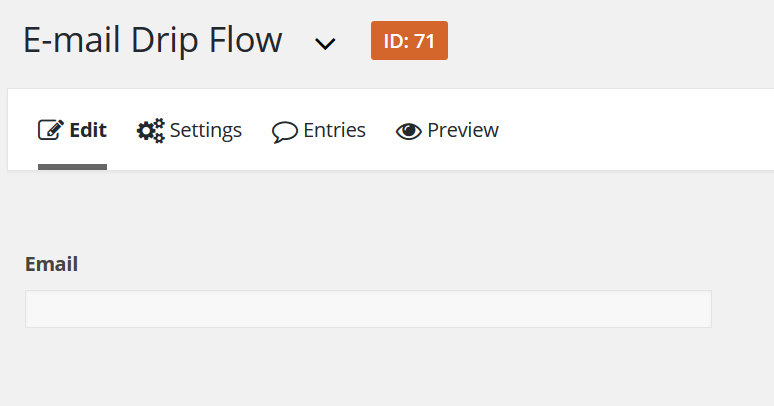
Add workflow step(s)
Then go to Gravity Flow by clicking on Workflow under Settings and Add a new step. Click on ‘Notification’ and on ‘Schedule this step’. You can delay the sending of the mail in minutes, hours, days and weeks.
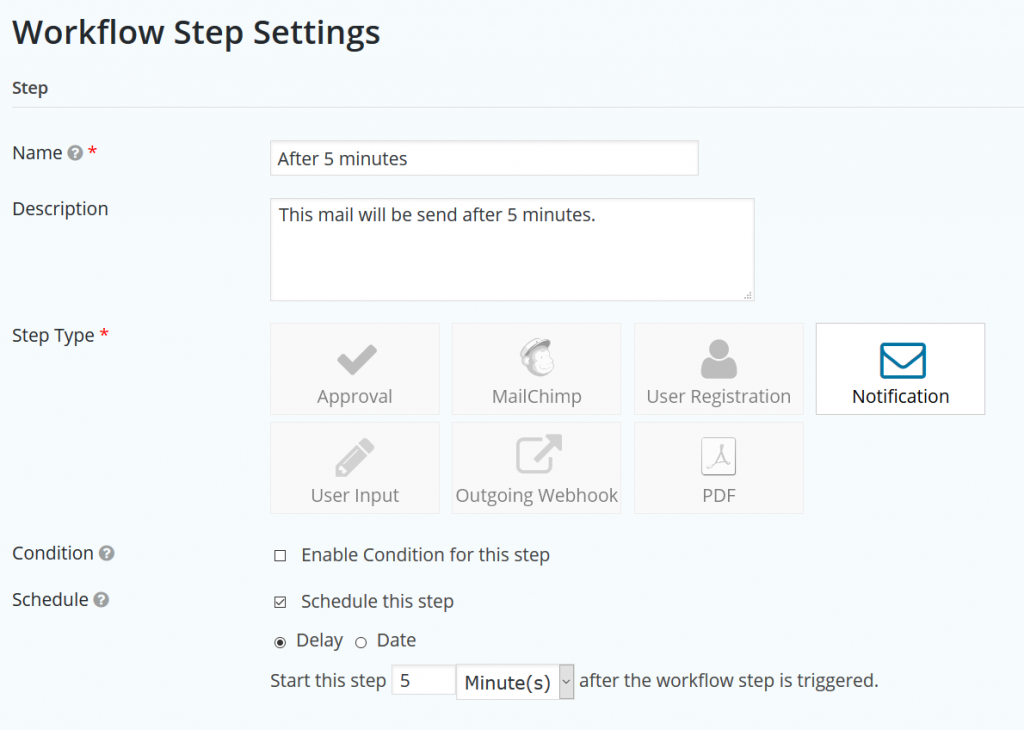
Set up timing and messages
Then enable Workflow notification and click on Fields > Email to send this e-mail to the address that is submitted in your form. After that, configure the message you want to send. Repeat this steps for every email you want to send out.
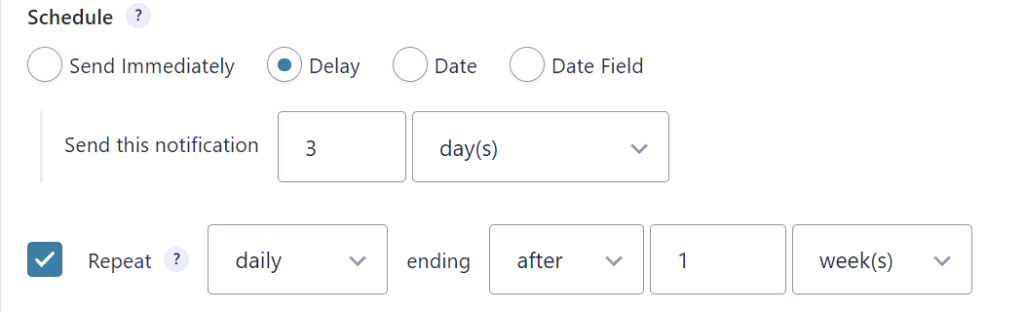
Alternative option: Notification Scheduler
Another option to create a drip campaign is to use the Notification Scheduler from GravityWiz.
Our Premium add-ons for Gravity Forms
List Text
Add features like textarea, placeholder and custom validation to a column or multiple columns in a Gravity Forms List Field.

Advanced Merge Tags
This Gravity Forms Add-On adds extra Merge Tag modifiers (and a lot of power). From the most common used functions like capitalize and length to changing date formats.

Advanced Number Field
Functionality for Number Fields, like rounding or only absolute numbers, fixed point notation, range calculation, custom units like % or m2 & show as slider.

List Dropdown
Add a Dropdown Select with choices to a column or multiple columns in a Gravity Forms List Field.
Read tutorials about

Gravity Forms Airtable Integration: Create Records From Form Submissions
Learn how to build a Gravity Forms Airtable integration with GravityWP API Connector. Send form submissions to Airtable, create new records automatically, and save the returned Airtable Record ID and response back to Gravity Forms.

Gravity Forms Asana Integration: Create Tasks From Form Submissions
Learn how to connect Gravity Forms to Asana with GravityWP API Connector. This tested workflow creates Asana tasks from form submissions and saves the returned task ID and URL back to Gravity Forms.

Gravity Forms Google Calendar Integration: Create Events From Form Submissions
Connect Gravity Forms to Google Calendar with GravityWP API Connector. Learn how to create calendar events from form submissions, map event details, configure OAuth 2.0, handle time zones, and save the returned Event ID and URL.

Gravity Forms Notion Integration: Create Database Pages Without Zapier
Connect Gravity Forms to Notion without Zapier. This tested tutorial shows how to create Notion database pages from form submissions and save the returned page ID, URL, creation time, and API response.

