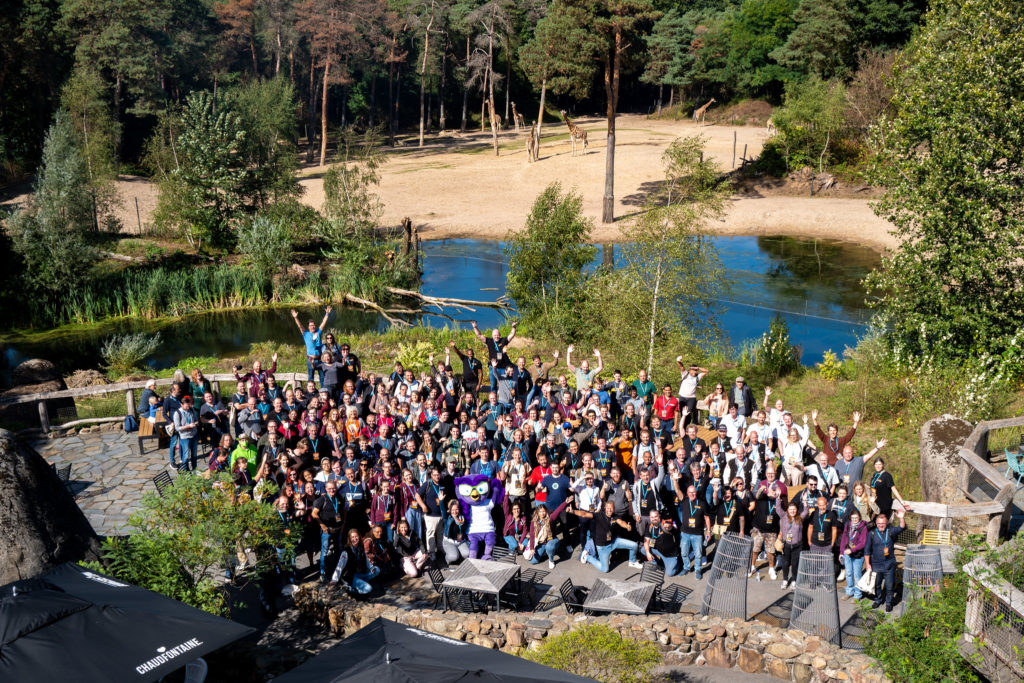
On September 15 and 16 2022, more than 400 WordPress enthusiasts gathered in Burgers’ Zoo to exchange knowledge, participate in workshops and presentations and, of course, admire the giraffes, monkeys and elephants.
GravityWP was also present, we sponsored the event for the first time this year, had a stand and gave a talk. We spoke to many people at our booth and made great connections.
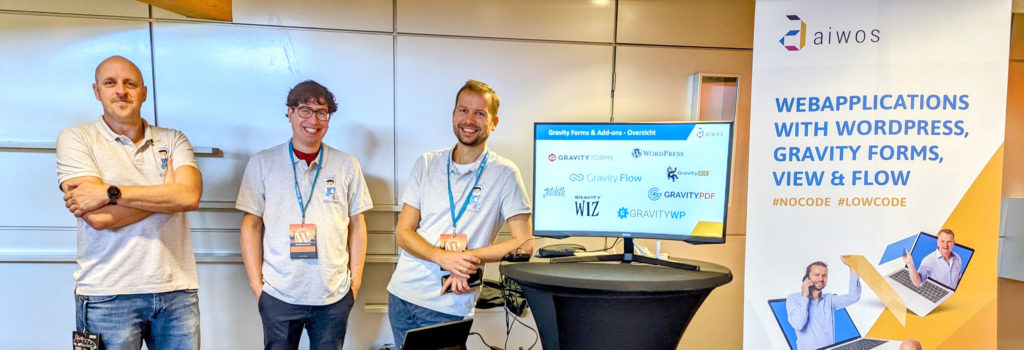
#WCNL
WordCamp Netherlands has been held almost annually since 2009 and brings together the community of developers, specialists, hobbyists and entrepreneurs who are interested in WordPress. This year WordCamp Europe was held in Portugal, where Aiwos was also present.
WordPress most popular CMS
Nearly 43% of the web uses WordPress to manage their site and content. This makes it the most widely used CMS on the internet. With big names like the White House (whitehouse.gov), TechCrunch, Time Magazine, Wired, Microsoft News, Vogue, the Observer and Creative Commons.
GravityWP
At the event, GravityWP showed interested parties which web applications we build, such as a grant portal, a jury environment, an event module and various API integrations, such as with SurePay, the Dutch Chamber of Commerce and databanks from Dutch Education. And of course we’ve demonstrated the power of our GravityWP Add-ons.
We look back on a successful event and are already looking forward to WordCamp Netherlands 2023.
Our Premium add-ons for Gravity Forms
List Datepicker
Add a Datepicker with calendar select to a column or multiple columns in a Gravity Forms List Field.

API Connector
Connect Gravity Forms to External API's: Query the API using form field values and automatically fill other form fields with the API response.
Personal Edit Link
Let people correct their own Gravity Forms entries. Send a secure personal link that reopens the form with their saved answers and updates the original entry, with locked fields, audit history and optional Gravity Flow steps.
List Number Format
With this Gravity Forms Add-on you can change List Field columns into a number field, do calculations within a row or column. Extra merge tags are available with total counts of columns.
Read tutorials about
How to Create an Event Registration Form for Workshops
Create an event registration form for workshops in WordPress. Learn which attendee details to collect, how to configure confirmation emails and how to update workshop dates for confirmed registrations using GravityWP Update Multiple Entries.
How to Create Gravity Forms Entries from Comma-Separated Text
Turn a comma-separated task list into separate Gravity Forms entries. Follow our tested Field to Entries setup, mapping, and custom separator example.

How to Validate Repeatable Contact Rows in Gravity Forms
Learn how to validate repeatable Gravity Forms List field rows with GravityWP List Text. This tutorial shows how to add email and regex validation, test invalid values, and confirm that valid team roster data is stored correctly.

Gravity Forms Airtable Integration: Create Records From Form Submissions
Learn how to build a Gravity Forms Airtable integration with GravityWP API Connector. Send form submissions to Airtable, create new records automatically, and save the returned Airtable Record ID and response back to Gravity Forms.


Author: Erik van Beek
Published: 20-09-2022
Last update: 06-03-2026