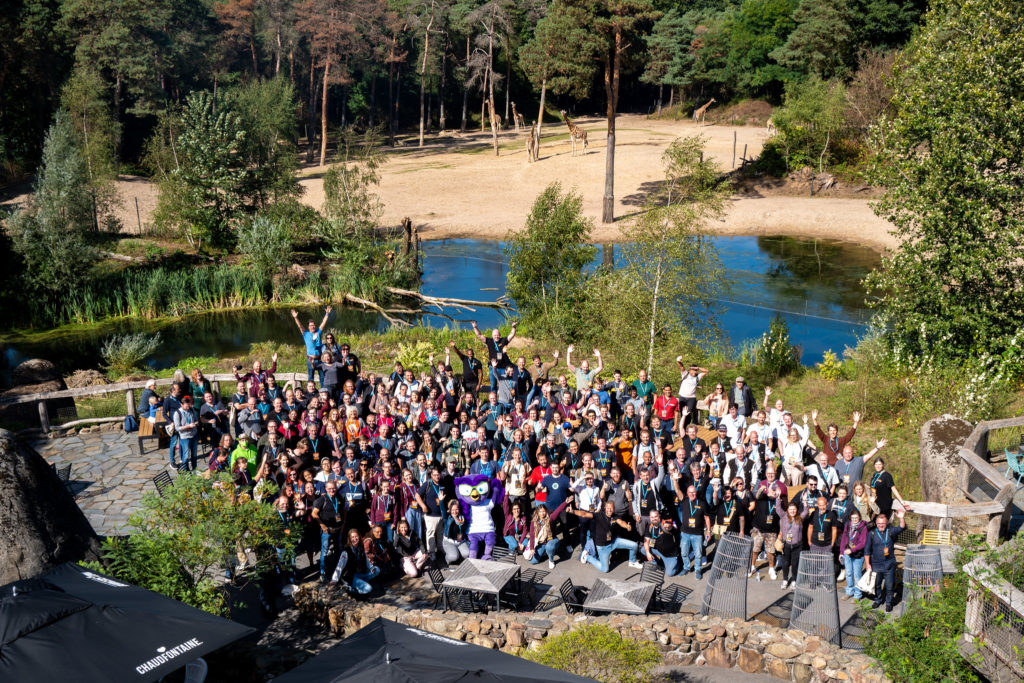
On September 15 and 16 2022, more than 400 WordPress enthusiasts gathered in Burgers’ Zoo to exchange knowledge, participate in workshops and presentations and, of course, admire the giraffes, monkeys and elephants.
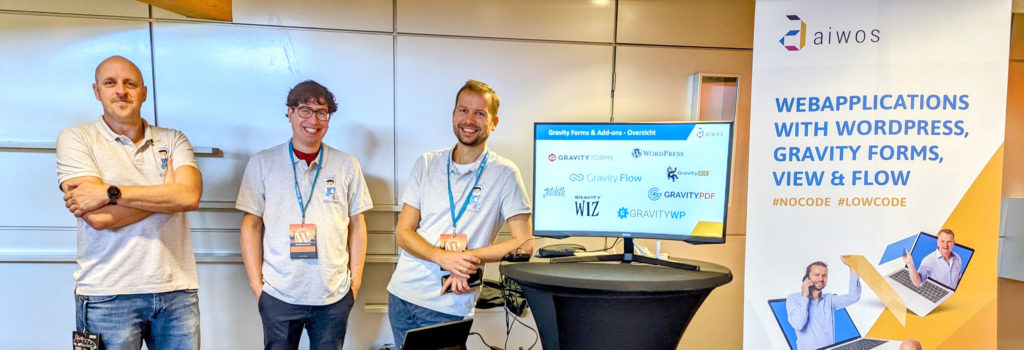
GravityWP was also present, we sponsored the event for the first time this year, had a stand and gave a talk. We spoke to many people at our booth and made great connections.
#WCNL
WordCamp Netherlands has been held almost annually since 2009 and brings together the community of developers, specialists, hobbyists and entrepreneurs who are interested in WordPress. This year WordCamp Europe was held in Portugal, where Aiwos was also present.
WordPress most popular CMS
Nearly 43% of the web uses WordPress to manage their site and content. This makes it the most widely used CMS on the internet. With big names like the White House (whitehouse.gov), TechCrunch, Time Magazine, Wired, Microsoft News, Vogue, the Observer and Creative Commons.
GravityWP
At the event, GravityWP showed interested parties which web applications we build, such as a grant portal, a jury environment, an event module and various API integrations, such as with SurePay, the Dutch Chamber of Commerce and databanks from Dutch Education. And of course we’ve demonstrated the power of our GravityWP Add-ons.
We look back on a successful event and are already looking forward to WordCamp Netherlands 2023.
Our Premium add-ons for Gravity Forms

API Connector
Connect Gravity Forms to External API's: Query the API using form field values and automatically fill other form fields with the API response.

Update Multiple Entries
Trigger the update of multiple entries in a target form by submitting an entry in a trigger form.

Advanced Number Field
Functionality for Number Fields, like rounding or only absolute numbers, fixed point notation, range calculation, custom units like % or m2 & show as slider.

JWT Prefill
Fill forms with data you can trust. Prefill Gravity Forms fields with a secure token instead of links with editable url parameters, so your data is accurate, tamper-proof, and ready to use.
Read tutorials about

How to Create a Public Submission Business Directory in WordPress (Gravity Forms + GravityView)
Build a moderated business directory where users submit listings through a form, admins approve entries, and approved businesses appear in a searchable GravityView directory.

How to Create an Event Workshop Registration + Waitlist System in WordPress
This guide shows how to set up a workshop registration + waitlist system in WordPress: register attendees until capacity is reached, waitlist the rest, approve entries, and auto-promote people when a seat opens using Gravity Forms, Gravity Flow, and GravityView.

Gravity Flow Form Submission Step Tutorial
The Gravity Flow Form Submission step pauses a workflow until another form is submitted, then continues once the handoff is complete. This guide shows how to connect two forms, prefill fields with mapping, send the correct secure link, and troubleshoot the most common “workflow didn’t move” issues.

Gravity Flow Delete an Entry Step Tutorial
The Gravity Flow Delete Entry step lets you trash or permanently remove Gravity Forms entries as part of a workflow. This guide covers the key settings, scheduling options (delay or date-based), and safe testing tips so you can follow retention and privacy rules with confidence.


Author: Erik van Beek
Published: 20-09-2022
Last update: 06-03-2026