Gravity Forms integrations sound simple until you look closely at what people actually mean by “integration.”
Sometimes, the goal is to connect a form to a service Gravity Forms already supports through an official add-on. Sometimes, the goal is to send submission data to an external endpoint after the form is submitted. In other cases, the form needs something more advanced, such as authenticating with an API, passing form values into a request, and using the API response inside the form workflow.
Those are different jobs, so they should not all be solved the same way.
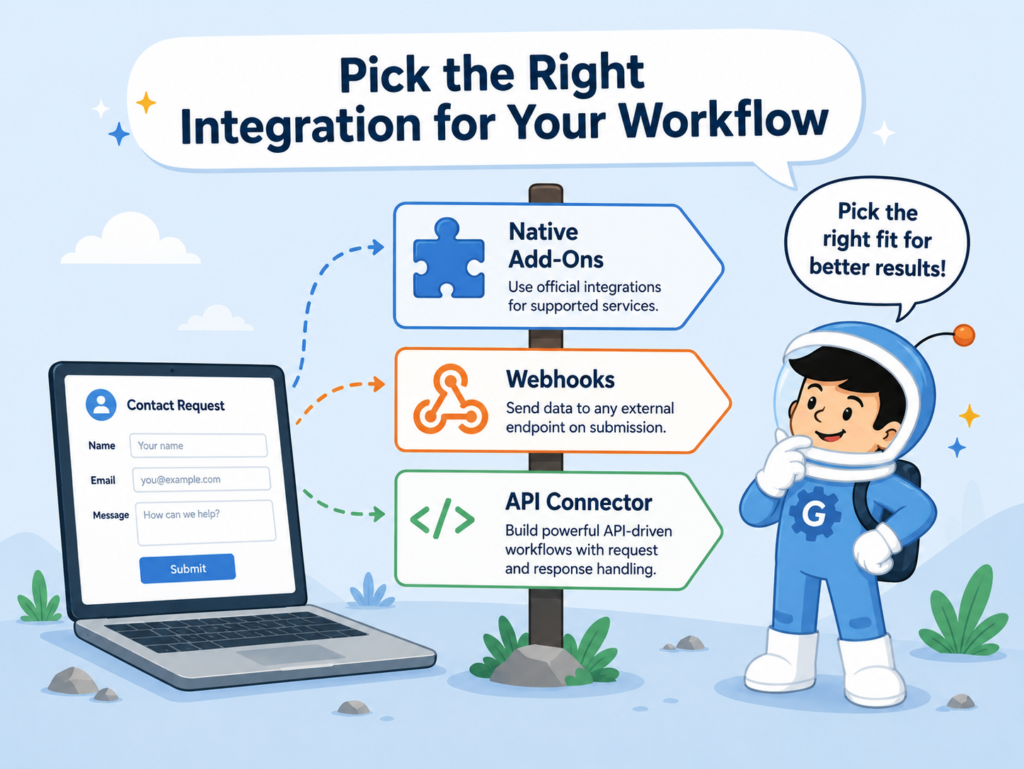
This article compares three common paths: native add-ons, Webhooks, and API Connector. The goal is not to prove that one method is always better. The goal is to help you choose the integration method that fits the workflow.
Not Every Gravity Forms Integration Problem Is the Same
A lot of integration confusion starts with one false assumption:
every form connection is the same task with different branding.
It is not.
Some integrations are mainly about sending data to a known service that Gravity Forms already supports directly. Some are about firing a request to an external endpoint after submission. Others are about building a more data-aware form that can call an API, authenticate correctly, pull information back, and use that result inside the form workflow.
That difference matters.
A good integration decision should not start with “Which tool is best?”
It should start with this question:
What exactly is the form trying to do?
Once that is clear, the right integration method is usually much easier to spot.
The more clearly you define the workflow, the easier it becomes to choose the right Gravity Forms integrations approach.
What the Main Gravity Forms Integration Methods Actually Mean
Before comparing them, it helps to define them in plain English.
Native add-ons are official Gravity Forms integrations for specific services. They are usually the best fit when Gravity Forms already supports the service you want to connect to and the workflow is fairly standard.
Webhooks are for sending remote HTTP requests to another service or endpoint when the form is submitted. This is useful when there is no official add-on for the platform you want to connect.
API Connector is GravityWP’s add-on for API-driven workflows that need more control. It can send requests, pass form values as parameters, and use the API response inside the form workflow.
Quick Comparison of the Three Routes
| Method | Best understood as | Best fit |
|---|---|---|
| Native add-ons | Official, service-specific integrations | When Gravity Forms already supports the service you need |
| Webhooks | Outbound HTTP requests on submission | When you mainly need to send data to an external endpoint |
| API Connector | API-driven request and response workflows | When the form needs more control, authentication, or response handling |
This is the simplest way to think about the difference.
A quick example makes the difference clearer.
Imagine a membership site uses Gravity Forms for account requests. If the team only needs to send new signups to an email marketing platform that Gravity Forms already supports, a native add-on may be enough. If the form only needs to send submission data to an internal endpoint after submission, Webhooks may fit better. But if the form needs to check a member ID against an external system, receive a response, and populate fields based on that response, API Connector becomes a better fit.
The method changes because the workflow changes.
Why Feeds Matter in Gravity Forms Integrations
One of the most useful concepts in Gravity Forms is the feed.
A feed is the configuration layer that tells the form what to do with submission data once the workflow runs.
That matters because Gravity Forms integrations are usually not just “turned on.” They are configured through feeds.
That is true for many native add-ons. It is true for the Webhooks add-on. And it is also true for API Connector, where feed settings control how the request works, when it runs, and how the response is handled.
For non-technical readers, the easiest way to think about a feed is this:
it is the rulebook behind the form’s integration behavior.
When Native Add-Ons Make the Most Sense in Gravity Forms Integrations
Native add-ons are usually the best first choice when an official Gravity Forms integration already exists and the workflow matches what that add-on was designed to do.
That is because the work has already been narrowed down to a known service and a known use case.
If the job is standard and the service is already supported, the official add-on is often the cleanest path.
Not every integration problem needs a custom API workflow.
If you want to connect a form to a service that Gravity Forms already supports directly, and the built-in add-on already does what you need, then the simplest route is often the right route.
Native add-ons usually make sense when:
- the service already has an official Gravity Forms add-on
- the workflow matches what that add-on was designed to do
- the team wants the least custom setup possible
- the form mainly needs a standard connection after submission
In those cases, there is usually no reason to overcomplicate the workflow. For standard service connections, Gravity Forms integrations are often easiest to manage through official add-ons.
When Webhooks Make the Most Sense in Gravity Forms Integrations
Webhooks are a strong option when the job is to send data outward after the form is submitted.
This makes them useful for workflows where the main goal is delivery.
For example, you may want to send submission data to:
- an automation tool
- a custom endpoint
- a third-party platform
- an internal service that listens for HTTP requests
That is where Webhooks fit naturally.
They also make sense when there is no official add-on for the service you want to connect to, but the system can still accept form data through a request.
This gives teams more flexibility than waiting for a native add-on to exist.
At the same time, it helps to be realistic about what webhooks are best at.
They are strong when the form mainly needs to send data somewhere else.
They are not usually the best fit when the form needs to actively work with a returned API response inside the user experience.
That is where the next method starts to stand out more clearly.
Webhooks usually make sense when:
- there is no official add-on for the target service
- the form mainly needs to send data to an external endpoint
- the workflow is submission-based instead of lookup-based
- the team needs control over request method, format, headers, or conditions
That is a strong and useful role. In many outbound delivery workflows, Gravity Forms integrations through webhooks are flexible enough without needing a deeper API setup.
It is just not the same role as a more response-aware API workflow.
When API Connector Makes the Most Sense in Gravity Forms Integrations
Some integrations need more than a one-way delivery step.
API Connector becomes useful when the form needs to send a request, pass form values into that request, receive a response, and use that response inside the form workflow.
This is different from a standard “send this submission data out” workflow.
The form can:
- call an external API
- pass user-provided or form-derived values into the request
- receive a response
- use that response inside the form workflow
That is a meaningful difference.
If the form needs external lookups, response-aware behavior, or better request control, this route makes much more sense than trying to force the job into a simpler submission-only method.
It does not replace every other option.
It becomes more useful when the workflow is API-driven, data-aware, and response-focused.
API Connector usually makes sense when:
- the form needs to send data and use the API response inside the form
- the request needs mapped headers or query parameters
- the response needs to populate target fields
- the workflow benefits from external lookups
- the team wants reusable API connections instead of repeated auth setup
That is not just a broader integration. It is a different kind of workflow.
Authentication and Security in Gravity Forms Integrations
One of the clearest differences between integration methods appears when authentication becomes more serious.
This is where the integration method needs to support the API’s access requirements, not just the destination URL.
GravityWP’s API Connector supports several authentication methods, including:
That matters because not every API uses the same access model.
Some APIs expect a key in a header. Others use bearer tokens, while some still rely on basic authentication.
Others need an OAuth 2.0 flow, such as Client Credentials or Authorization Code.
Once those requirements enter the picture, the integration choice becomes more sensitive.
At that stage, the question is no longer just “Can I send data to this service?”
The better question becomes:
Can this workflow handle the request, the authentication, and the response in a clean and repeatable way?
That is where a managed API connection can become easier to maintain.
Authentication-Related Comparison
| Need | Native add-ons | Webhooks | API Connector |
|---|---|---|---|
| Simple service-specific connection | Often yes | Sometimes | Sometimes |
| Outbound request with custom headers | Not the main reason to choose it | Yes | Yes |
| Reusable API auth connection | Not the main model | Less natural | Yes |
| API Key support | Depends on add-on | Possible with manual setup | Yes |
| Bearer Token support | Depends on add-on | Possible with manual setup | Yes |
| Basic Auth support | Depends on add-on | Possible with manual setup | Yes |
| OAuth 2.0 Client Credentials workflow | Depends on add-on | Not the usual fit | Yes |
| OAuth 2.0 Authorization Code workflow | Depends on add-on | Not the usual fit | Yes |
The methods do not only differ in what they connect to.
They also differ in how they handle access and control.
Comparing Gravity Forms Integrations Methods
The clearest way to compare the options is by looking at what the form needs to do.
The right question is not which method sounds the most advanced.
The right question is which one best fits the workflow.
| If your form needs to… | Best fit |
|---|---|
| Connect to a service Gravity Forms already supports directly | Native add-on |
| Send submission data to an external endpoint after submission | Webhooks |
| Control request method, format, headers, body, and conditions for an outbound call | Webhooks |
| Call an API and map the response back into fields | API Connector |
| Run external lookups and use the response in the form workflow | API Connector |
| Use reusable API connections with structured authentication options | API Connector |
| Keep the setup as standard and service-specific as possible | Native add-on |
That table captures the real decision more clearly than a simple feature list.
Each route has a place.
The mistake is treating them like they are interchangeable.
Common Gravity Forms Integrations Mistakes to Avoid
A lot of integration friction comes from choosing the wrong level of tool for the job.
One common mistake is ignoring official add-ons and going straight to a more custom setup.
If Gravity Forms already has a service-specific add-on that fits the workflow, using the official route may be simpler and easier to maintain.
Another mistake is using Webhooks when the real need is not only to send data out, but also to work with returned data inside the form.
That usually means the workflow needs response handling, not just outbound delivery.
A third mistake is leaving authentication design too late.
Once the workflow depends on API Key, Bearer Token, Basic Auth, OAuth 2.0 Client Credentials, or OAuth 2.0 Authorization Code, the integration choice becomes much more important.
At that point, a method that looked flexible at first can become awkward if it was not built for structured API access.
Final Thoughts
The right Gravity Forms integration method depends on the job the form needs to do.
Native add-ons are usually the cleanest choice when Gravity Forms already supports the service and the workflow is standard.
Webhooks are useful when the form mainly needs to send submission data to another endpoint after submission.
API Connector becomes useful when the workflow needs stronger API control, reusable authentication, external lookups, or response mapping back into the form.
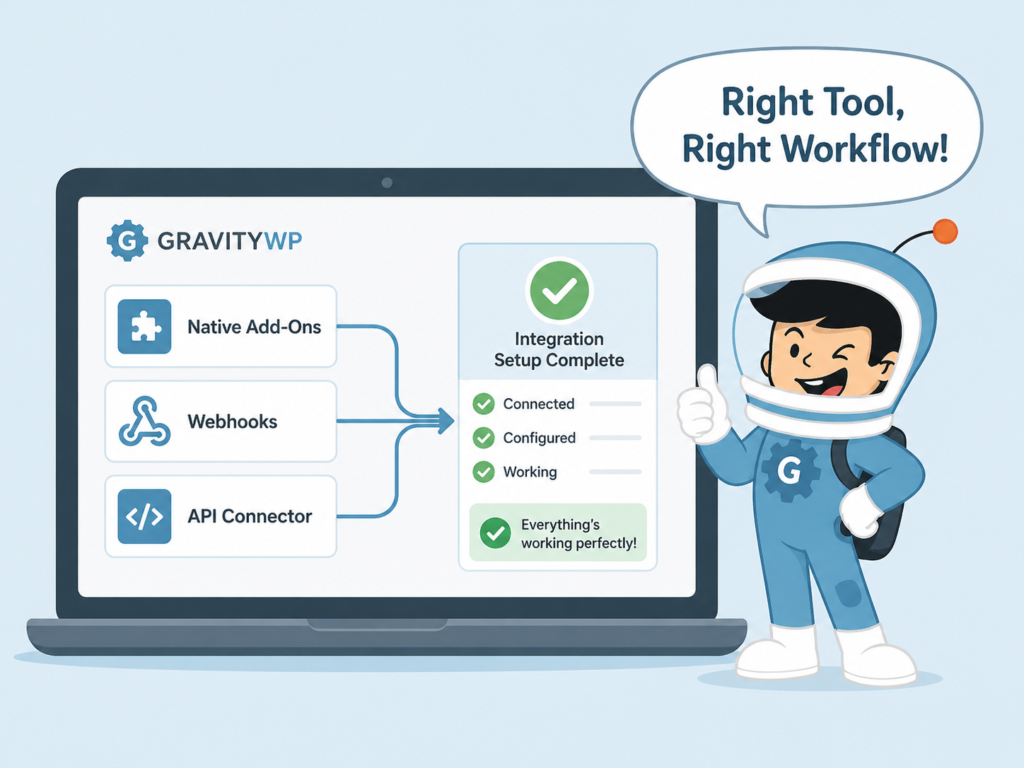
The goal is not to choose the most advanced method. The goal is to choose the method that matches how the form needs to connect, authenticate, and respond.
Gravity Forms Integrations – FAQ
Gravity Forms integrations are the different ways a form can connect to other tools or services. In practice, that usually means using an official add-on, sending data with webhooks, or connecting to an API through a tool like API Connector. Gravity Forms officially documents a large add-on ecosystem, while Gravity Forms Webhooks and GravityWP API Connector cover different kinds of external connections.
Native add-ons are official, service-specific integrations inside the Gravity Forms ecosystem. Webhooks are outbound HTTP requests that send form data to another endpoint after submission. API Connector is designed for more API-driven workflows, including passing form values into a request and mapping API responses back into form fields.
A feed is the configuration that tells Gravity Forms how submission data should be sent to an add-on or external service after a successful submission. Gravity Forms defines it as the setup that controls how a form passes data to another system.
A native add-on is usually the best choice when Gravity Forms already supports the service directly and the workflow matches what that add-on was built to do. This is often the simplest path because the integration is already service-specific and designed for Gravity Forms users.
Webhooks make the most sense when the form mainly needs to send data outward to another endpoint or service after submission, especially when there is no official add-on for that platform. Gravity Forms documents its Webhooks Add-On as a way to make remote HTTP requests on form submission.
API Connector becomes a better fit when the workflow needs more than one-way delivery. GravityWP documents support for sending GET or POST requests, passing form values as parameters, and mapping API responses back into form fields inside the form workflow. That makes it a stronger option for response-aware workflows, reusable authenticated connections, and external lookups.
GravityWP documents support for API Key, Bearer Token, Basic Auth, OAuth 2.0 Client Credentials, and OAuth 2.0 Authorization Code in API Connector. These options help when different APIs require different access methods.
Our Premium add-ons for Gravity Forms

DateTime Field
The GravityWP - DateTime Field add-on adds a dedicated Date/Time field to Gravity Forms so users can enter both a date and a time in a single input.

JWT Prefill
Fill forms with data you can trust. Prefill Gravity Forms fields with a secure token instead of links with editable url parameters, so your data is accurate, tamper-proof, and ready to use.

List Number Format
With this Gravity Forms Add-on you can change List Field columns into a number field, do calculations within a row or column. Extra merge tags are available with total counts of columns.

Entry to Database
Integrates Gravity Forms with internal or external databases, offering flexible mapping of form fields to database columns and real-time synchronization between entries and database rows.
Read tutorials about

Gravity Forms Zoho CRM Integration: How to Auto-Populate Form Fields by Email
Learn how to auto-populate Gravity Forms from Zoho CRM using GravityWP API Connector. This tutorial shows how to search Zoho Contacts by email and fill form fields with the returned data.

How to Create a Public Submission Business Directory in WordPress (Gravity Forms + GravityView)
Build a moderated business directory where users submit listings through a form, admins approve entries, and approved businesses appear in a searchable GravityView directory.

How to Create an Event Workshop Registration + Waitlist System in WordPress
This guide shows how to set up a workshop registration + waitlist system in WordPress: register attendees until capacity is reached, waitlist the rest, approve entries, and auto-promote people when a seat opens using Gravity Forms, Gravity Flow, and GravityView.

Gravity Flow Form Submission Step Tutorial
The Gravity Flow Form Submission step pauses a workflow until another form is submitted, then continues once the handoff is complete. This guide shows how to connect two forms, prefill fields with mapping, send the correct secure link, and troubleshoot the most common “workflow didn’t move” issues.